Process Table Lookups
ProcessPlan allows you to reuse information from Processes by using Process Table Lookups. Any process template can be accessed in a lookup field. If you want to create a place just to hold information to be accessed by lookup fields, you can create a process template containing only Process Fields and no tasks in the flow diagram, so that only the Start oval remains (see Using a Process Table to Store Reference Data). You can come back at any time and add tasks to the template.
To add a Process Table Lookup field, do the following:
-
Open the template designer, click Process Fields > Create New
-
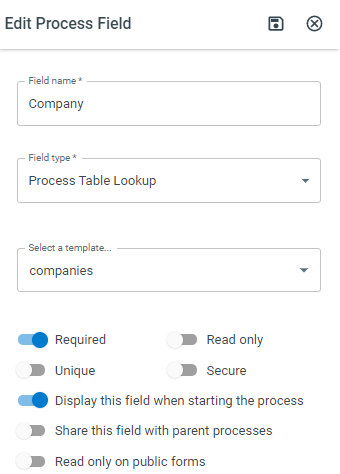
Select Process Table Lookup (Single) (or Process Table Lookup (Multiple) to allow multiple values) as the field type
-
Begin typing the name and select the process template you want the lookup field to pull from.
-
Click Save
Filtering Process Table Lookup Fields
Section titled “Filtering Process Table Lookup Fields”To determine which value appears in a Process Table Lookup field, do the following:
-
Open your Process Template > Click Process Fields > Click the 3 dot Navigation button on the lookup field you want to edit > Click Edit
-
Expand the Process Table Filters section
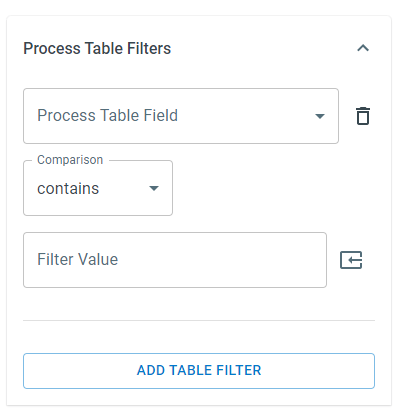
The following will appear:
-
Filter On Field - Select a process field to compare
-
Comparison - Select the type of comparison you want to make
-
Filter Value - The value you want to compare against
Asking the AI Strategist to Fix a Lookup
Section titled “Asking the AI Strategist to Fix a Lookup”You do not have to open the designer for either change above. If a lookup field is offering the wrong records - or comes up empty because it is pointed at a table that holds nothing to match - describe the problem to your AI Strategist in a strategy session. It checks which table the field reads today, tells you what it finds, and once you confirm the table it should read instead, it makes the change and reports back. It can also set or remove the filter that limits which records the field offers, including a filter that follows a value already entered on the same form (for example, offering only the projects belonging to the company chosen a moment earlier).
Two things worth knowing. Values already saved on runs in progress are not rewritten, so anything filled in from the old table stays as it is - only new selections come from the new table. And if the field already has a filter, the Strategist will tell you the filter cannot follow it to a different table and ask whether to replace it or remove it, rather than leaving a filter behind that matches nothing.
Aggregate fields (Sum, Average, Count, and the rest) are the exception: the figure they total belongs to the table they read, so those are changed on the field in the designer.
You never have to refresh an aggregate field yourself. The figure updates on its own, usually within a few minutes, after anything it counts changes - a value edited on one of the runs it reads, a run added, a run canceled or deleted, or a change to what the field totals and which runs it includes. So if you have just made one of those changes, give it a moment before checking the number.
Adding Values to Process Table Lookups
Section titled “Adding Values to Process Table Lookups”To add a value to a Process Table Lookup, do the following:
-
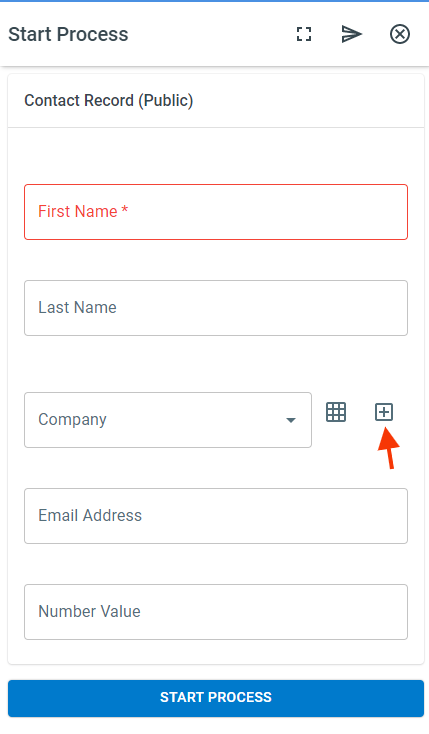
On the Process Table Lookup field you want to add a record to, click the Plus icon.
-
The Start Process panel will open. Fill in the required fields > click Start Process.
-
Your new value will be available for selection