
=MONTH
The =MONTH() function allows you to extract the numerical value of the month when given a date.
Syntax
Section titled “Syntax”=MONTH(DateValue)Parameters
Section titled “Parameters”- DateValue – The date or date field token from which to extract the month.
How It Works
Section titled “How It Works”-
Evaluates the provided date value.
-
Extracts the month portion of the date.
-
Returns a number from 1 to 12, where:
-
1 = January
-
12 = December
-
Usage Notes
Section titled “Usage Notes”-
Formula functions are case sensitive and must be written in ALL CAPS.
-
The date value must be in a valid date format recognized by the system.
-
Field tokens containing dates can be used instead of hard-coded dates.
-
Useful for reporting, filtering, or creating conditional logic based on the month.
-
Often combined with other date functions (like YEAR or MONTHDAY) for advanced date handling. (Example below)
-
Be sure to close the parenthesis and click Save to apply the function.
Example
Section titled “Example”=MONTH(03/15/2024)- Returns 3
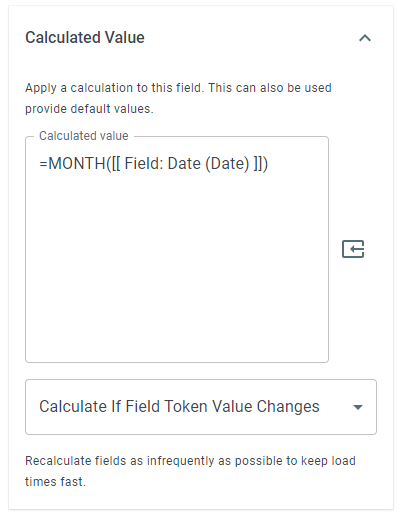
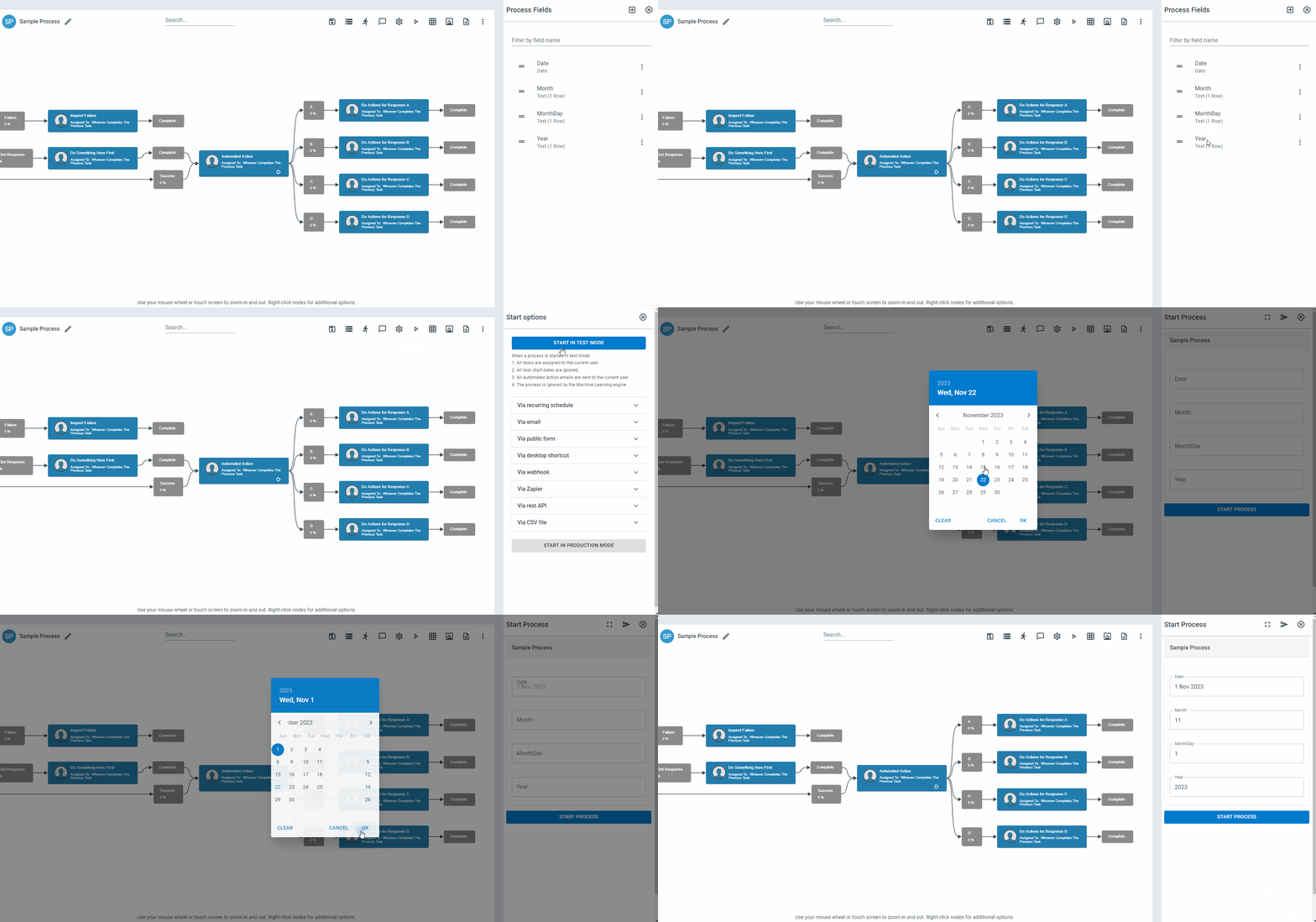
EXAMPLE with the use of YEAR and MONTHDAY functions:
Using the formulas on specific fields allows you to extract each numerical value of month, day, and year from a date field.
Keywords
Section titled “Keywords”MONTH, extract month, date function, numeric month, date parsing, workflow formulas, formula function