
Via Webhook
To start a process via webhook, do the following:
-
Log in to your account
-
Click Administration > Processes > Template Diagrams > The card of the process you want to start
-
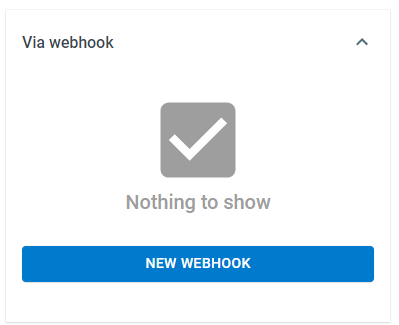
Click Start Process > Via webhook > New Webhook.
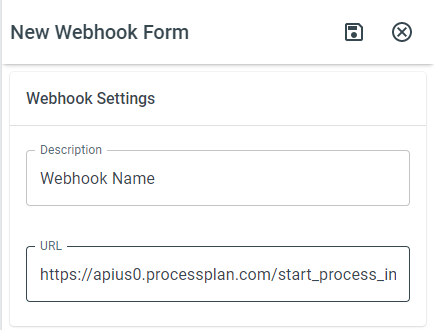
-
Description - The name of the webhook
-
URL - The URL of the webhook
Field Mapping
Section titled “Field Mapping”To map information from your parent source to your process, enter the name of your Source field in the field that corresponds with your ProcessPlan field. Click Save at the top of the panel.
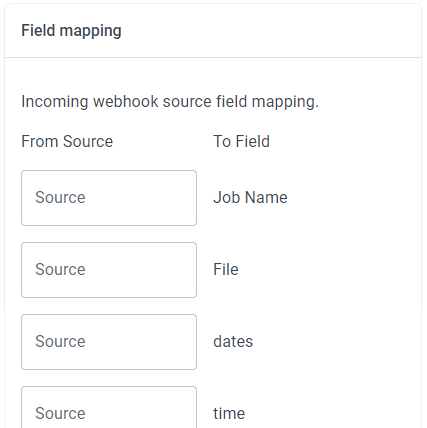
ProcessPlan looks for each source field name in the incoming request’s query string, headers, form fields, and JSON body. For values nested inside a JSON payload, use a path as the source field name, for example customer.name or items[0].sku.
Inspect the raw payload
Section titled “Inspect the raw payload”It isn’t always obvious what field names another system sends in its webhook payload. ProcessPlan captures the raw payload so you can look:
-
Add a field of type Serialized Data to your process template (see Process Fields).
-
Send a test request to the webhook URL from your source system.
-
Open the process instance that was started and look at the Serialized Data field. It contains the complete raw payload exactly as the source system sent it.
-
Use the field names and paths you see there as the Source field names in your field mapping.