Adding a Subprocess
ProcessPlan allows you to connect one template to another. By selecting a single response, you can launch an entire process.
-
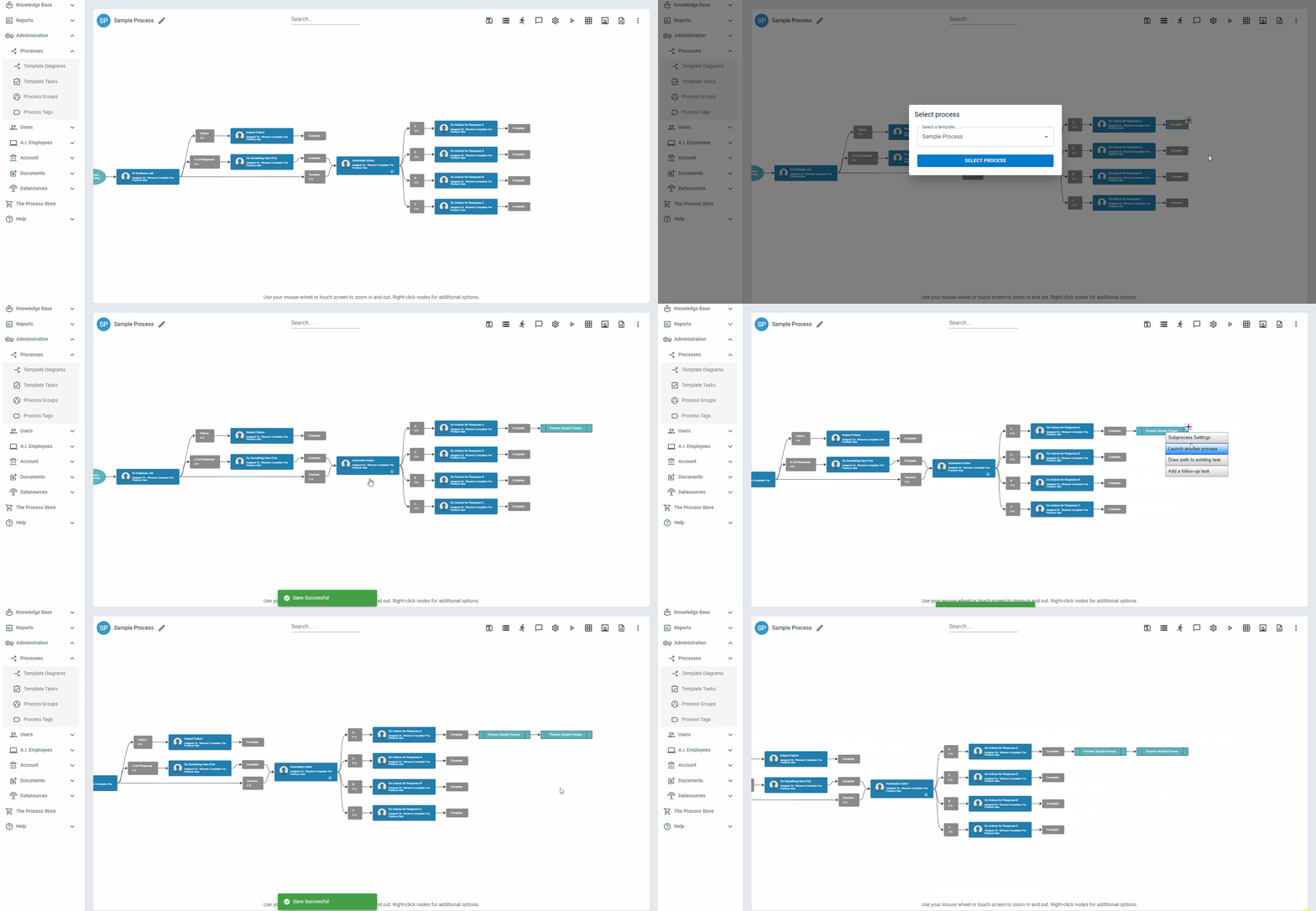
On the response you want to launch the subprocess from, right-click and select Launch Another Process
-
Select the process you want to launch
You can link a subprocess to any response or any other subprocess in a diagram.
Field Mapping
Section titled “Field Mapping”Field Mapping allows you to transfer information from the main process to the subprocess. When mapping fields like radio buttons and checklists, the options on both the sub and main process must match. Attachment fields must be mapped to attachment fields. To map a field, do the following:
-
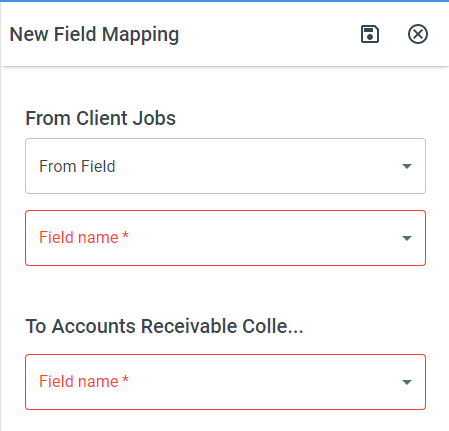
Right-click on the Subprocess > Subprocess Settings > Add Field Mapping
-
Select the Field you want to map from the Parent Process and the corresponding field from the Child process. You also have the option to pass a text value from the Parent process to the subprocess. The character limit on text values is 500 characters.
-
Click Save
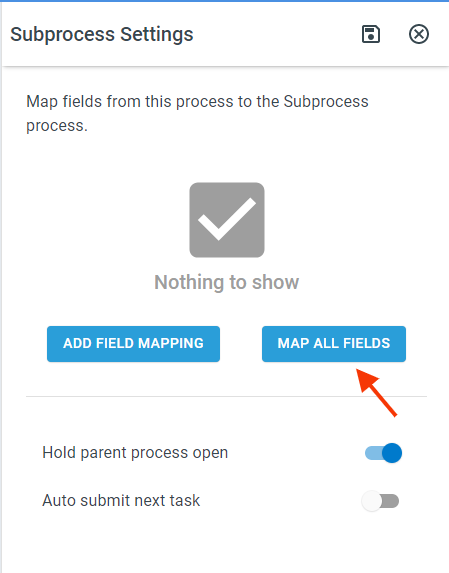
If your parent and subprocesses have matching Process Field names, you can map all of the fields at once by selecting Map All Fields in the Subprocess Settings
Passing Data from the Subprocess back to the Parent Process
Section titled “Passing Data from the Subprocess back to the Parent Process”To pass data from the subprocess back to the Parent Process, do the following:
-
On the parent process, map the fields using the field mapping shown above
-
On the subprocess, click the Process Fields button > On the field you want to share, click the Navigation icon (3 dots) > Edit > Field Settings > Enable Share this field with parent processes
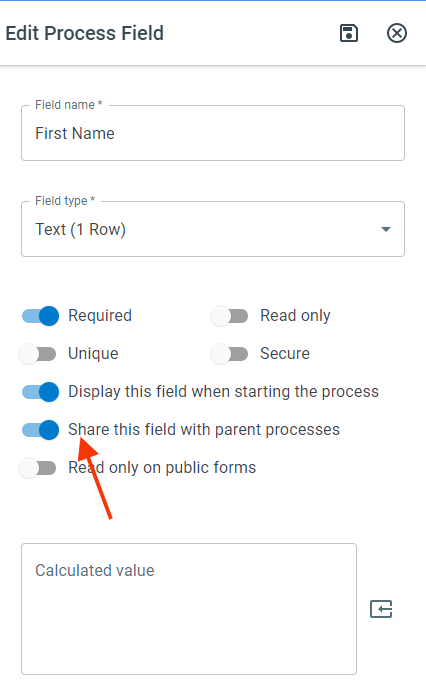
The data being shared will be passed using the same field mapping set up in the parent process.
The shared values are passed back each time someone changes and saves the subprocess’s fields, and again when the subprocess completes. A shared file field replaces the files in the parent’s field with the subprocess’s files, so the parent holds exactly what the subprocess holds. If the subprocess’s file field is empty, the parent’s files are left as they are.
Launching a Separate Subprocess for Each Value in a Field (Spreading)
Section titled “Launching a Separate Subprocess for Each Value in a Field (Spreading)”Sometimes a process collects a list of items, and each item needs its own copy of the subprocess. For example, a process might gather a batch of invoices, and each invoice should be handled in its own “Send Invoice” subprocess. The Spread Field Values setting launches a separate subprocess for every value in a field, instead of one subprocess for the whole list.
To set it up:
-
In the Parent Process, right-click on the subprocess node and select Subprocess Settings
-
Under Spread Field Values, select the field that holds the list
-
Map that same field to a field on the subprocess using the field mapping shown above, so each subprocess receives its own value
How the values are split depends on the field type:
-
File attachment field - a separate subprocess launches for each attached file, and each subprocess receives just that one file
-
Text and list fields - a separate subprocess launches for each entry. Separate entries with semicolons or line breaks. A checklist field with several options selected works the same way, launching one subprocess per selected option. A field holding a JSON array (for example, built by a formula or an AI action) launches one subprocess per array element
Every subprocess receives identical copies of all the other mapped fields; only the spread field differs from one subprocess to the next.
Automatically closing Tasks following a Subprocess
Section titled “Automatically closing Tasks following a Subprocess”-
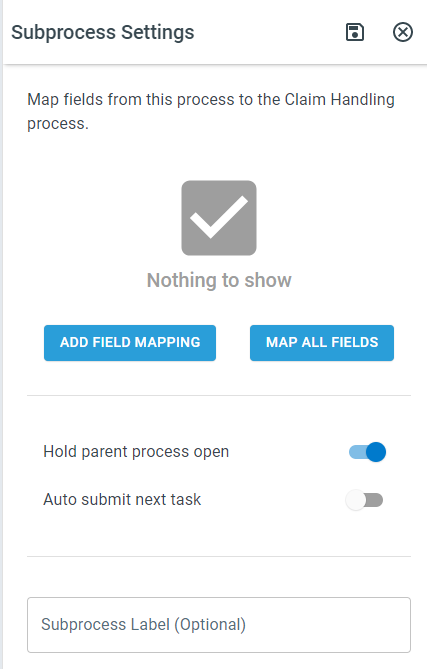
In the Parent Process, right-click on the subprocess node and select Subprocess Settings > Enable Auto submit next task.
-
In the Subprocess, ensure that the Last selected response matches the response on the task (in the parent process) that follows the subprocess.
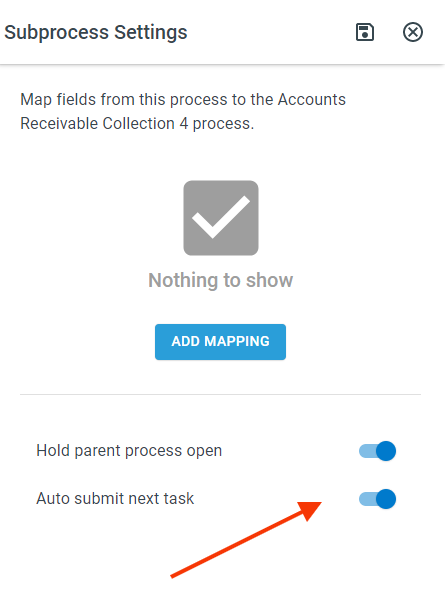
Heads Up: The automation will not work if the response text is the default “Complete”
The two response names have to match exactly. If the next task stays open when you expected it to close itself, open that process and check the Instance Audit Log - it records the response the subprocess ended on and the responses the next task actually offers, so you can see which name to change.
Labeling Subprocesses
Section titled “Labeling Subprocesses”Labeling Subprocesses can help add context to processes and explain the purpose of a subprocess. To add a label to a subprocess, in the subprocess settings, enter the desired label in the Subprocess Label field