
Providing Task Instructions
Using Checklists and Task Resources, you can provide actionable instructions to your users.
Checklists
Section titled “Checklists”A checklist can be used to give users a list of steps to complete a task. To add a checklist to a task:
-
Click Administration > Processes > Template Diagrams > The process you want to edit > Right click on the task > Task Settings > Checklist
-
Click Add item and enter a description of your checklist item > Click the + icon to add your item
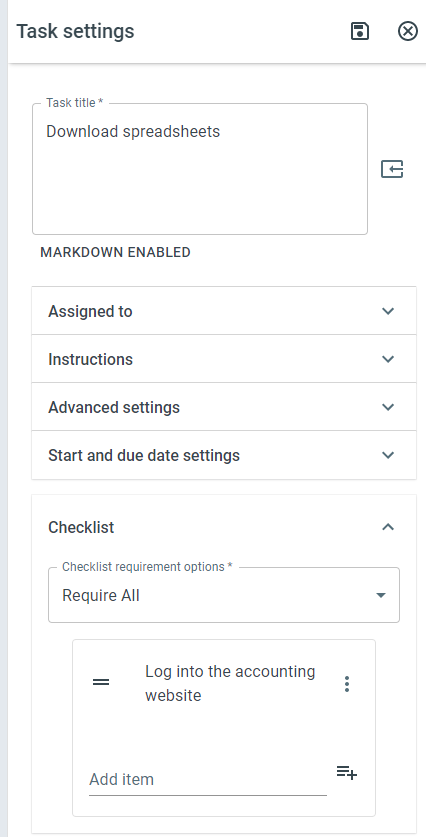
The checklist item on the Process Template
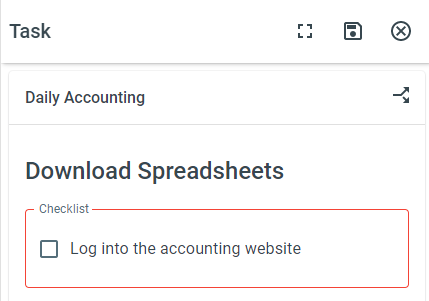
The checklist item on the live task
Checklist requirement options
-
Require All - All checklist items must be checked before the task can be completed
-
Require Any - At least one checklist item must be checked before the task can be completed
-
Require None - No checklist item has to be completed before the task can be completed
Resources
Section titled “Resources”Using Task Resources, you can upload a file, URL, or Merge Document that will make it easier for users to complete tasks. To add a resource, do the following:
-
Click Administration > Processes > Template Diagrams > The process you want to edit > Right click on the task > Task Settings > Resources > Add Item
-
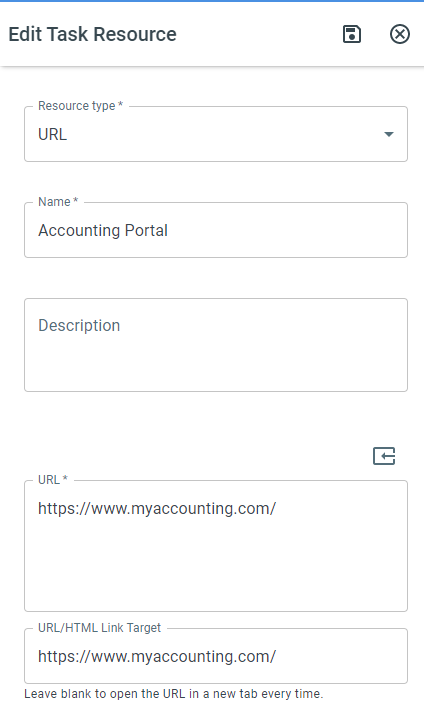
Select a Resource Type > Give your resource a name > Add a Description for your resource
-
Upload your Resource or select your Merge Document
-
For links, you can add a URL/HTML link target that will open in the same tab
-
Click Save
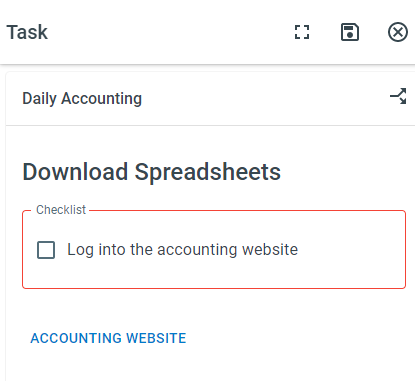
Task resources on the live task