
Configuring SMTP Settings
ProcessPlan gives users the ability to configure SMTP settings for sending emails.
To configure SMTP settings for a user, do the following:
-
Log in to your account
-
Click Administration > Users > Users > Click the user you want to configure SMTP settings for
-
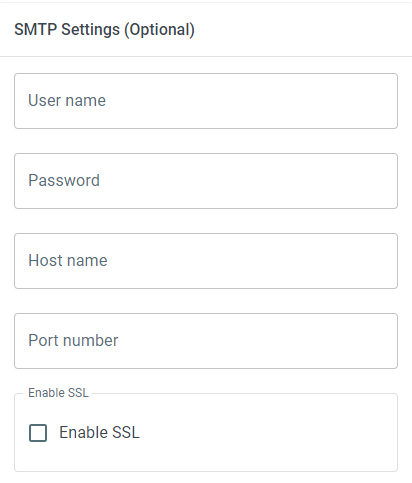
Scroll to the SMTP Settings section and enter your SMTP credentials
-
User Name - The username for your email account
-
Password - The password for your email account
-
Host Name - The hostname for your SMTP server
-
Port Number - The SMTP port you wish to use
-
Enable SSL - Determine whether or not SSL will be enabled
Which port to use
Section titled “Which port to use”Your email provider will tell you which port to use. Almost all of them use one of two:
-
587 is the most common. The connection starts unencrypted and is upgraded to a secure one before your username and password are sent. Gmail, Office 365 and Outlook.com all use this port.
-
465 connects securely from the very first moment, with no upgrade step. Some providers and self-hosted mail servers prefer it.
Leave Enable SSL switched on for either one. With it on, ProcessPlan will not send your credentials over an unencrypted connection - if the server cannot offer a secure connection, the send fails rather than falling back to an insecure one.
If your provider offers both ports, either will work. Use whichever one they recommend.