Editing Live Processes
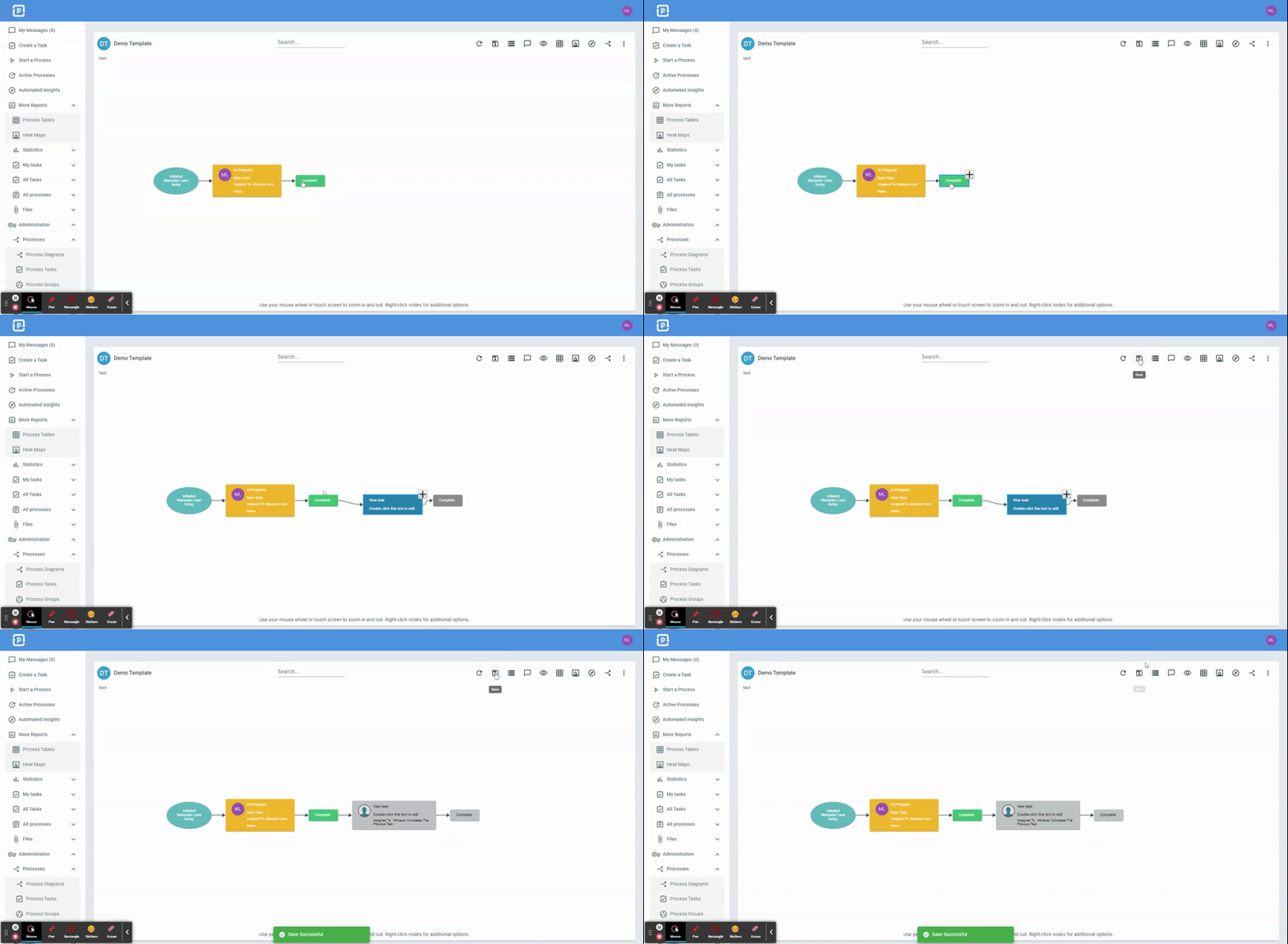
ProcessPlan gives you the ability to make changes to live processes. When making changes to a specific active process, the changes will only apply to that specific instance of the process.
To edit a Live Process, do the following:
-
Access the Progress Diagram of the Process you want to edit
-
Click any Task or Response and click the ”+” button that appears at the edge of the node to either add a task or response
-
Click the Save icon in the top right
Editing the New Task
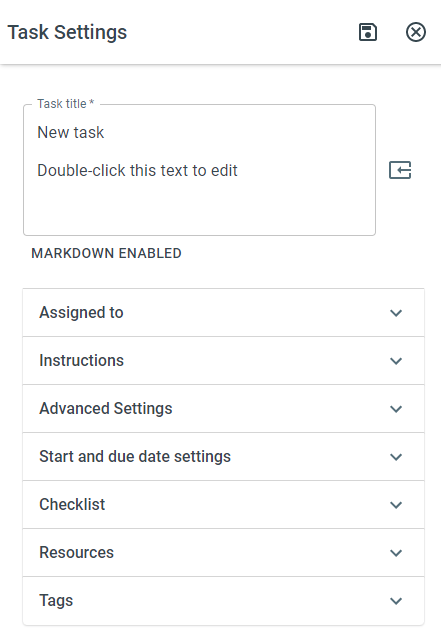
Section titled “Editing the New Task”To change task assignment and other settings on your new task, do the following:
-
On the Progress Diagram, open either the Process fields panel or the visibility panel > Click your newly added task.
-
The task settings panel will appear