
Database Query Action Type
The Database Query Action Type allows you to automatically send a query to a specified data source. Data sources are set up under Administration > Integrations > Data Sources.
To automate database queries in ProcessPlan, do the following:
-
On the desired template, click the Automated Action icon in the template designer menu or right-click in any whitespace and select Automated Actions
-
Select Automate a Database Query as your action type
-
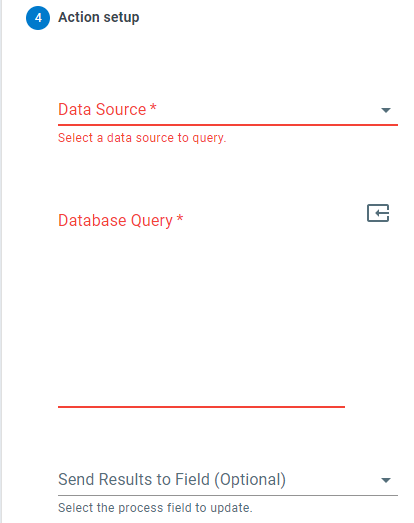
Data Source - The data source your query will be pulling from
-
Database Query - The query that will be used. Use the Insert Field Token button to include values from your process in the query
-
Send Results to Field (Optional) - The process field that will store the information returned by your data query. Results are written one row per line, with the column values separated by commas. Leave this blank if you only need the query to run
Optionally, use the Complete Task step to automatically complete a process task with a success or failure response once the query has run.