Creating a Knowledge Base Process
Knowledge Base Processes display a specified Merge Document upon Process Launch. Any Process can be turned into a Knowledge Base process. Processes with no tasks are great as Knowledge base processes, but any process will work!
To turn a process into a knowledge base process, do the following:
-
Log in to your account
-
Click Administration > Processes > Template Diagrams > Click the process you want to turn into a Knowledge Base process
-
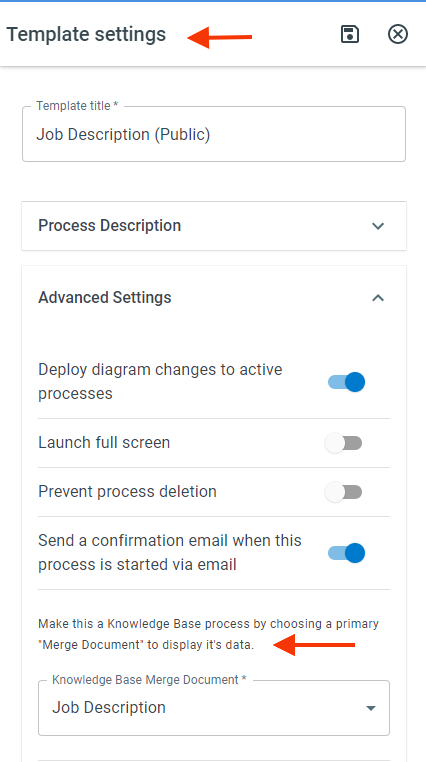
Once the process template is open, click Template settings > Knowledge Base Settings > in the Knowledge Base Document Template field, select the document template you would like to use to display the data for this process