
=LTDATE (Less Than Date)
The LTDATE function allows you to compare two date values and determines whether the first date is earlier than the second date.
Syntax
Section titled “Syntax”=LTDATE(IsThisDate; LessThanThisDate)Parameters
Section titled “Parameters”-
IsThisDate – The date value or field token you want to test.
-
LessThanThisDate – The date value or field token to compare against.
How It Works
Section titled “How It Works”-
Evaluates the first date provided.
-
Compares it to the second date.
-
Returns 1 (true) if the first date is earlier than the second date.
-
Returns 0 (false) if the first date is the same as or later than the second date.
Usage Notes
Section titled “Usage Notes”-
Formula functions are case sensitive and must be written in ALL CAPS.
-
Date values must be in a valid date format recognized by the system.
-
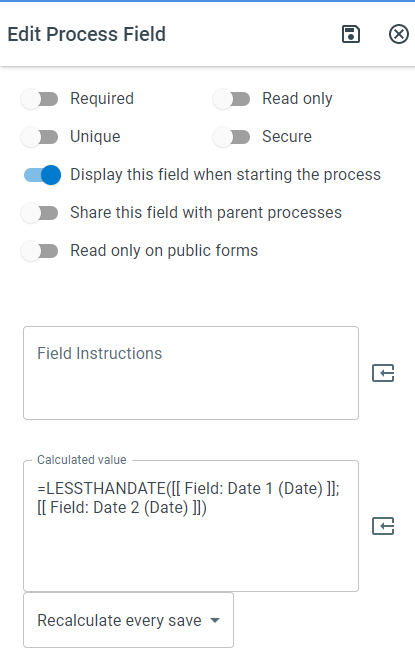
Field tokens can be used instead of hard-coded dates for dynamic comparisons.
-
This function returns 1 if “True”, 0 if “False”.
Example
Section titled “Example”=LTDATE(01/01/2024; 12/31/2024)- Returns 1 (true) because January 1, 2024 comes before December 31, 2024.
Keywords
Section titled “Keywords”LTDATE, date comparison, less than date, conditional logic, workflow formulas, date validation, Boolean function, formula function