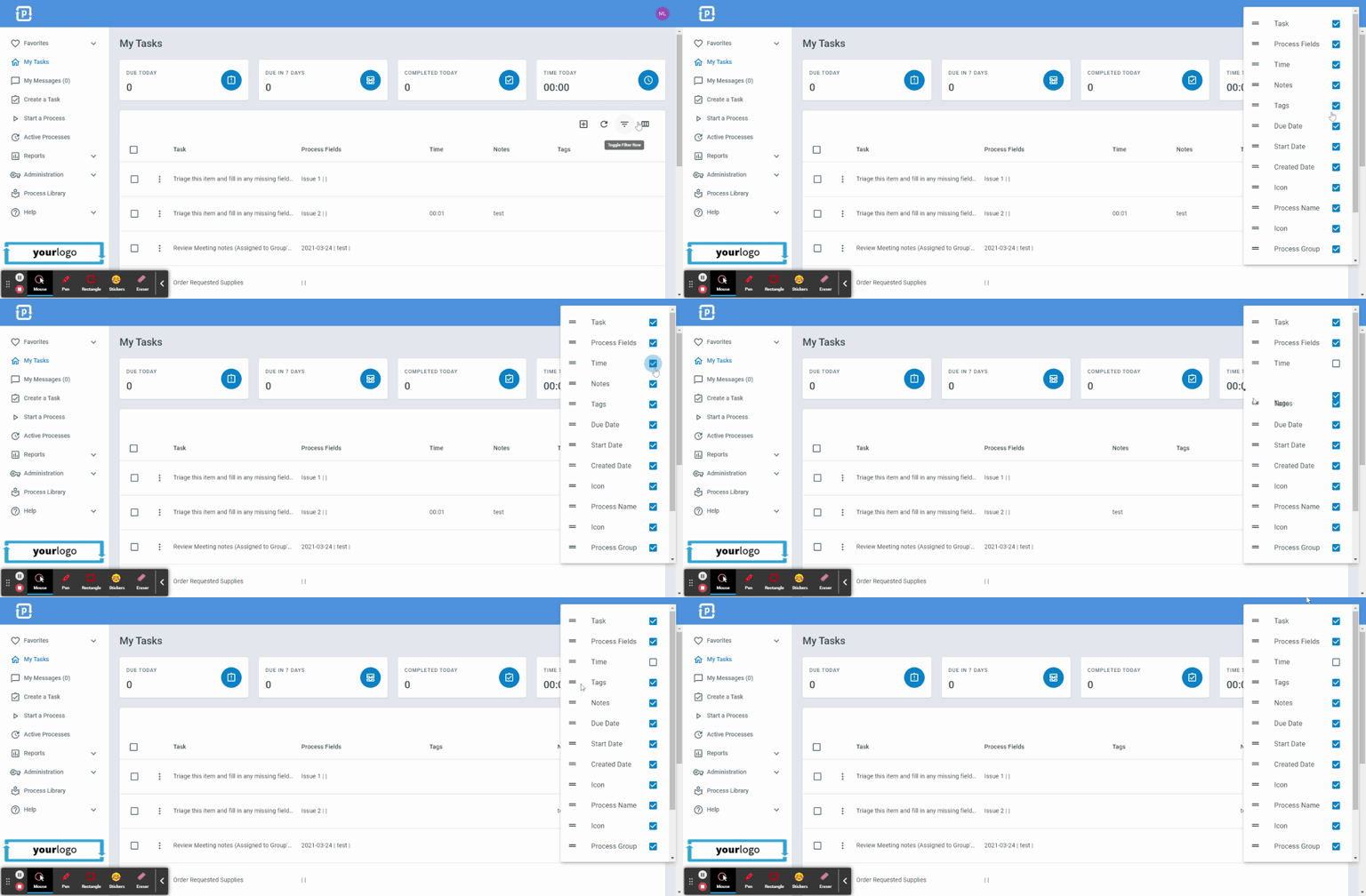
Customizing Column Settings
ProcessPlan gives you the ability to customize page views by reordering and hiding columns.
To customize your page view, do the following:
-
Navigate to the page you want to customize
-
Click the Column Settings button on the right side of the page
-
On the menu that appears, uncheck the checkbox to the right of the column name to hide that column (check it again to show it). Click Reset columns to return to the default layout
-
Click the Horizontal bars to the left of the column name and drag the field to change the display order of the columns
-
Column changes are saved automatically