
The Audit Trail
The Audit Trail is a log of all activity within ProcessPlan. There are three audit trails: the Full Audit Log, Instance Audit Log, and the Template Audit Log.
The Full Audit Log
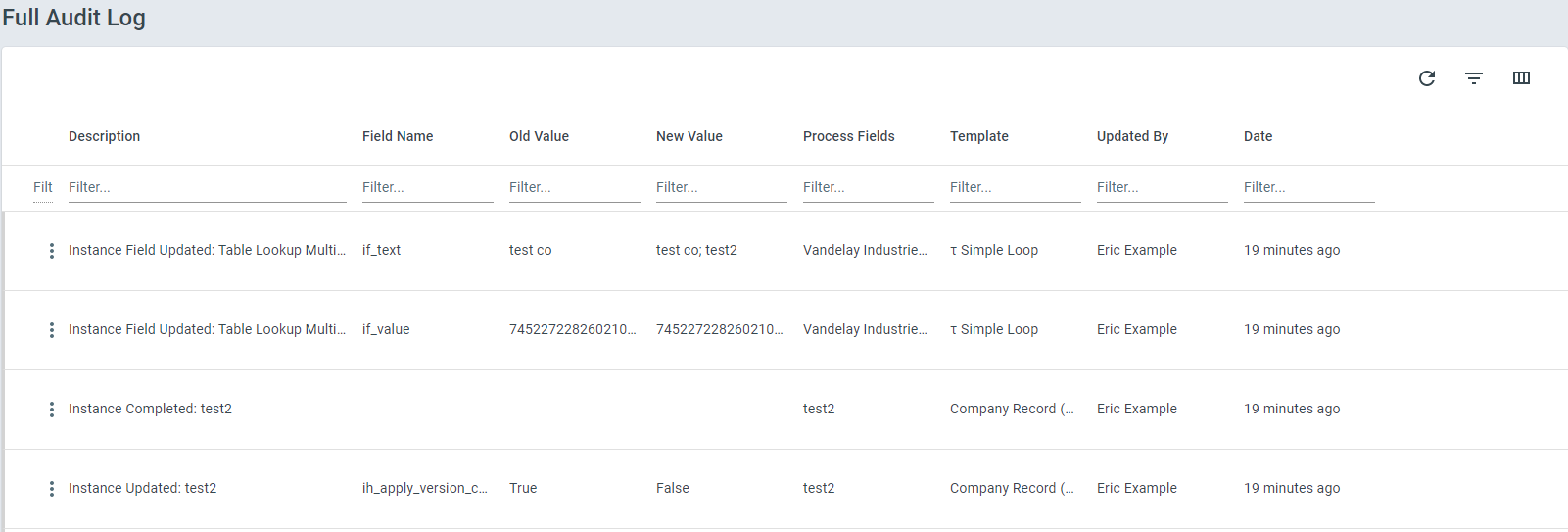
Section titled “The Full Audit Log”The Full Audit Log shows everything done in the ProcessPlan account
To access the Full Audit Log, do the following:
-
Log in to your account
-
Click Administration > Account > Full Audit Log
-
Using the filter column, you can search the Audit Log for any information you may need
The Instance Audit Log
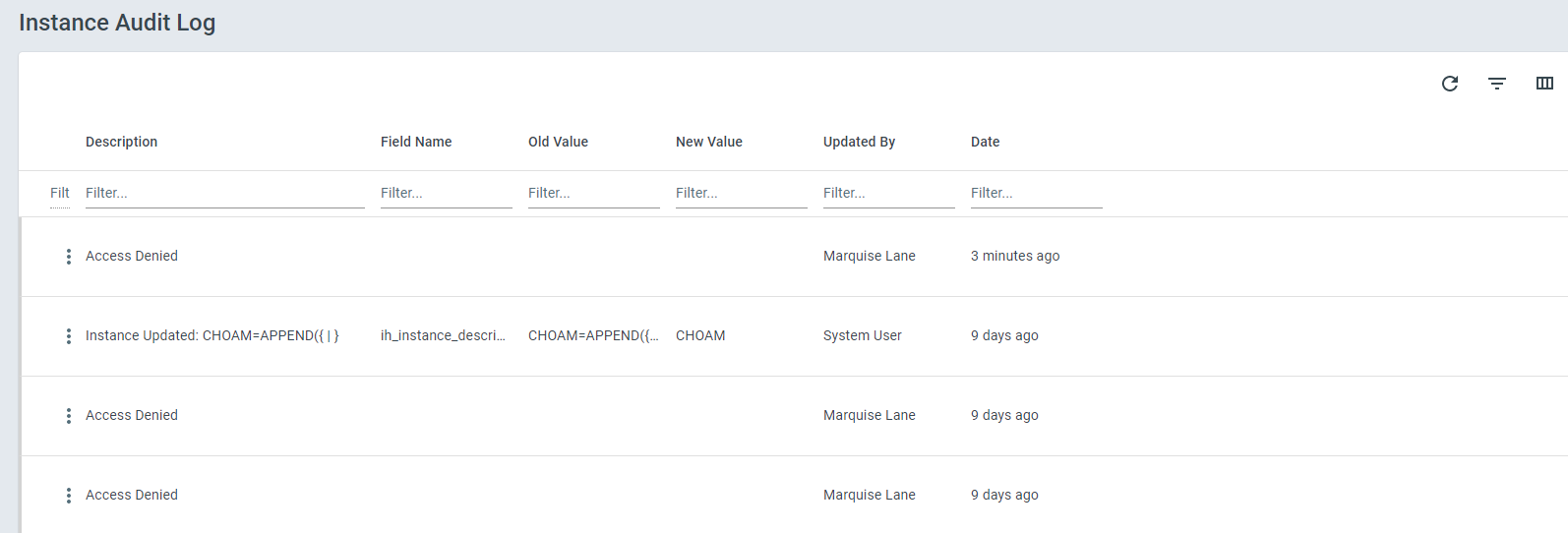
Section titled “The Instance Audit Log”The Instance Audit Log shows everything that has happened in a particular Process Instance.
To access the audit trail for a specific process instance, do the following:
- Navigate to the Progress Diagram of the instance you want to see the audit log for > click the 3 dot icon in the top right > Audit Trail
Seeing why the AI did what it did (Test Mode)
Section titled “Seeing why the AI did what it did (Test Mode)”When an AI automation runs on a process started in Test Mode, it writes its own work into the Instance Audit Log as it goes, so you can see how it reached its answer instead of only seeing the result.
This is deliberately limited to Test Mode. A single AI automation can take many steps to finish a task, and recording all of them on a live process would bury the business history you actually want in the audit log. So test your automation first, read its work here, then run it live.
You will see entries such as:
-
AI Prompt - what the AI was actually asked, with your process field values already filled in
-
AI Thinking - the AI reasoning its way through the task, step by step
-
AI Tool Call - the AI looking something up or taking an action, and what it asked for
-
AI Tool Result - what came back, including anything that failed
-
AI Response - what the AI concluded
-
AI Problem - anything that stopped the AI from finishing
Each entry is summarised on one line. Click the row to open the full text in the panel on the right - reasoning and results are usually far too long to fit in the list. When an AI works through a task in several steps, each entry is labelled with its step number so you can follow the run in order.
This is the fastest way to work out why an automation filled in a field the way it did, chose a particular task response, or stopped early - before you turn it loose on real work.
The Template Audit Log
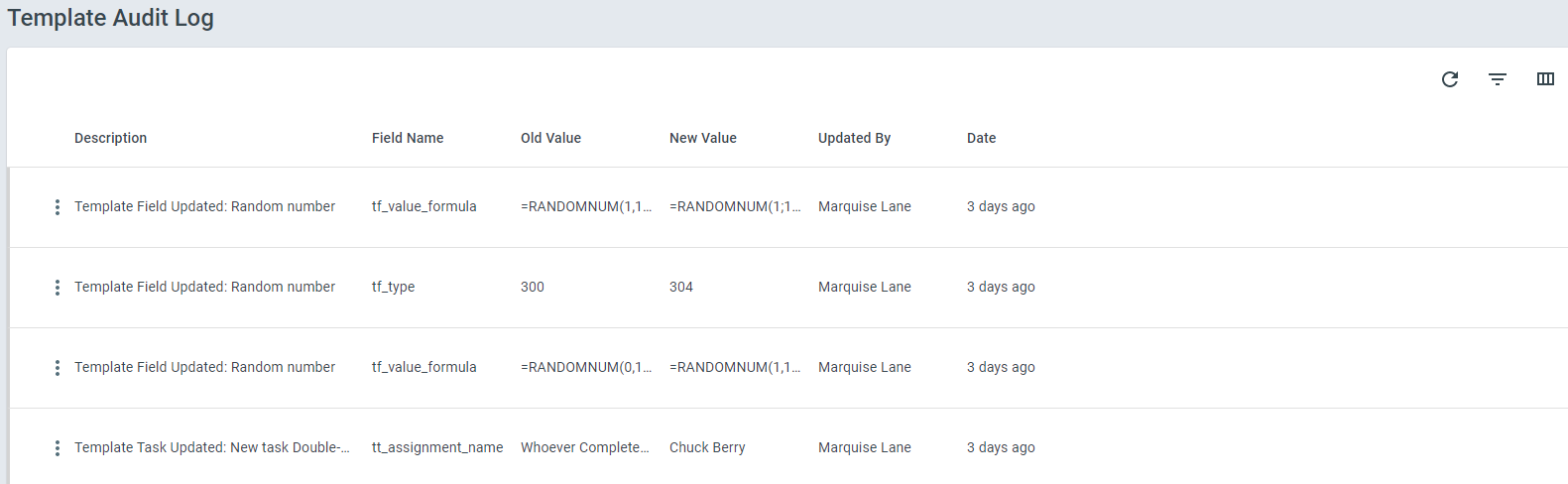
Section titled “The Template Audit Log”The Template Audit Log shows all changes to a Process Template.
-
Open the process you want to see the audit log for
-
Once the template is open, click the 3 dot button on the far right > Audit Trail
The User and User Group Audit Logs
Section titled “The User and User Group Audit Logs”A person’s record and a user group’s record each have an audit log of their own, opened from that record. It holds the changes made to the record itself: a name or address, custom fields, a person’s SMTP password, a group’s details. A change somebody made elsewhere while they happened to have the record open is not part of it.
Who can open an audit log
Section titled “Who can open an audit log”-
The Full Audit Log, and any entry in it, needs permission to edit account information.
-
A person’s or a user group’s audit log, and any entry in it, needs permission to edit user accounts. Without it, the page says No Permission To View This Audit History.
-
The Instance and Template Audit Logs follow the process: you see the entries of the processes you can see. The audit log of an AI Employee job or run leaves out entries about processes you can’t see.
An entry opens only when a log you may open lists it. One you may not open looks the same as one that doesn’t exist.
Information on the page
Section titled “Information on the page”-
Description - A description of the action that took place
-
Field Name - The field in question
-
Old Value - The previous value in the field in question
-
New Value - The new value in the field in question
-
Process Fields - The process fields of the process in question
-
Template - The Template in question
-
Updated By - The user that made the change
-
Date - The date the change was made
In the Instance Audit Log, click any row to open its full detail in the panel on the right. This is where longer content lives - most importantly the reasoning behind an AI automation’s decision on a process started in Test Mode.
A few changes are recorded without their values. When somebody changes a stored secret, such as a data source password, a webhook signing secret, an integration token, an SMTP password or a function secret, the entry shows who changed it and when, and Old Value and New Value stay empty. The same goes for the wording of an AI Strategist finding: the entry names the part that changed, not the text, so people who can’t open the finding can’t read it here.