
AI Strategist
The AI Strategist is a built-in AI advisor. It understands your organization’s context inside ProcessPlan and helps you think through your business: where to focus, what to improve, and what to do next.
Starting a strategy session
Section titled “Starting a strategy session”You can talk to the AI Strategist in two ways:
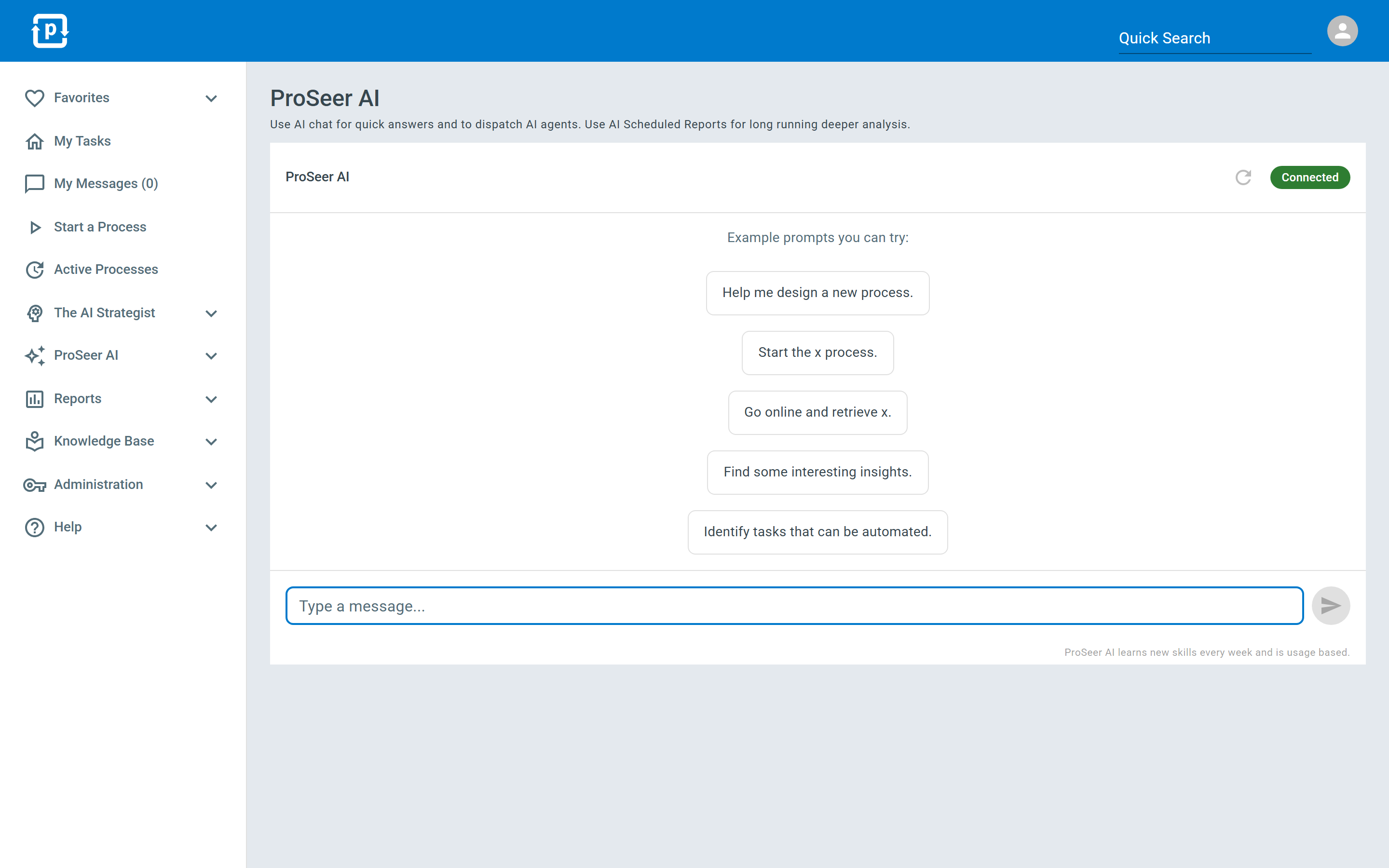
- Full page - open the AI Strategy Session from the navigation bar for a focused conversation.
- Side panel - the Strategy Session button on Strategist pages opens the conversation in a panel on the right side of the screen, so you can keep the page you’re working on visible.
Every entry point opens the same conversation, so a discussion you start from your AI Daily Briefing carries through your day - continue it from anywhere in the app and it picks up where you left off. After about 12 hours away, the next session starts fresh: the Strategist still knows your business and your priorities, it just opens a new conversation rather than resuming the old one.
The Strategist speaks first in each new session: it opens with a short briefing of what it has done since you last spoke, what those actions earned, what it has found since then, and anything waiting on your decision. If nothing new has come up it says so plainly rather than repeating an older finding as though it were news. Give it a moment to prepare that opening, then take the conversation anywhere you like - or just start typing without waiting.
What it can help with
Section titled “What it can help with”- Analyzing your business situation and surfacing opportunities.
- Proposing and refining strategic initiatives - and helping you prioritize them. See Strategic Initiatives.
- Answering questions about your processes and suggesting improvements. That includes how reliably a process is running: ask “how reliable is our onboarding process?” and it works the answer out from your real runs - how long they typically take, how often one hits a problem, whether the process is running steady or has shifted recently - and tells you honestly when there is not enough history yet to say.
- Counting up what your records actually say. Ask “how many deals are at each stage?” or “who owns the most open claims?” and the Strategist counts every matching run by that field’s value and tells you the split, largest first, with each value’s share. It works on any field that holds a set of choices - a dropdown, a checklist, radio buttons, a person, team or role picker, or a lookup into another process table or knowledge article - and on any field in the process, however far down the list of fields it sits. A field that accepts several values at once is counted once for each value chosen. For a number field, ask for the spread instead, as below. If you also narrow the question - “only the ones in Texas” - and it cannot narrow by the field you named, it tells you so and names the field, rather than quietly answering the wider question instead.
- Working out how your numbers are actually distributed. Ask “what does our order-value spread look like?” or “how long does fulfillment take, best case and worst case?” and it computes the answer from every matching run: the typical value, the spread, the slowest 1 in 20, and the shape of the distribution. If you build simulation or forecasting models, ask it which probability distribution to use for a variable (cycle time, order value, any numeric field) and it fits the candidates to your real data and names the closest match, along with the parameters to plug in - and it says plainly when there is not enough history to name one.
- Arriving with an agenda rather than a list. The Strategist opens each session with a handful of things it wants to get through - anything genuinely severe, plus what it has not already been through with you recently - and works them in order instead of reading out everything it is watching. It remembers what it brought up in your last few sessions, so the next one leads with something else rather than reopening the same two items; a critical finding is the exception and is always carried, however recently you discussed it. Ask what else it is watching and it tells you, and can pull up any of it in full.
- Bringing your pending decisions to you, and settling them in the conversation. When something is waiting on your call - a proposed improvement, a question it needs answered - the Strategist puts the most important one to you in plain language: what it wants to do, why now, what happens if you say yes, and what it costs. You answer in your own words and it records your decision there and then, no buttons to find and no separate screen to visit. It takes one decision at a time and tells you afterwards what it recorded and what happens next. If you want to read the full finding behind a decision - the evidence, the numbers, the whole write-up - ask and it opens in a panel beside the conversation. “Not now” is a complete answer to anything it brings.
- Understanding the difference between “no” and “stop asking”. Turning down a recommendation and retiring the finding behind it are two different things, so the Strategist offers them as two different sentences rather than expecting you to know which button means which. Say no to a recommendation and it declines that action but keeps watching, so it can come back with a better idea. Tell it to stop raising something altogether and it retires the finding, withdraws any question attached to it, and records your reason for the analyst that raised it - though if the same situation appears again later the finding will come back, and it says so rather than promising silence. When it is not certain which you meant, it asks.
- Handing it more independence, carefully. If an analyst has earned the right to act without asking each time, the Strategist raises that as a decision like any other - but before it records a yes it states in one sentence exactly what it would do unasked from then on and what it would still bring you, and asks you to confirm that sentence specifically. Saying no costs nothing, changes nothing, and it keeps bringing each action for approval.
- Building the changes you agree on, right from the conversation. The Strategist can create a new process or data table, add steps or outcomes to an existing process, change who a step is assigned to (a specific person, a team, or every member of a team individually), and launch or schedule process runs. It can also change the data a process captures: add fields, rename them, make them required or optional, reorder them, add dropdown choices, and point an existing process table lookup at a different table or narrow which of its records the field offers. It always shows you the exact change first and asks for your confirmation before anything is saved.
- Handing work over when someone leaves or is out. Tell the Strategist “Priya has left, move her open tasks to Dana” and it does it, rather than pointing you at an administrator. Name particular tasks or ask it to take everything one person still holds (optionally just on one process), and it shows you the list first: which tasks would move, who has them now, and any that cannot be moved along with the reason - a task that has already been answered, or a step whose design does not allow reassignment. This works just as well once their user account has been removed: ask about someone by name and the Strategist still finds them, tells you they are no longer on the team and when their account was removed, and shows you what they were still holding so you can hand it on. It will not give a removed person new work, ask them anything, or send them a briefing - it says so plainly and asks who should have it instead. Nothing changes until you say yes. The new assignee is notified exactly as they would be for any other assignment. Moving existing tasks does not change where the next one goes, so the Strategist will also offer to change the step’s assignment, which is usually what you want for a permanent handover. You need permission to change task assignments, the same as reassigning a task yourself.
- Knowing what your company can actually do, and where a piece of work should go. Ask “who handles a supplier missing a delivery date?” or “what systems do we work in?” and the Strategist answers from a picture it keeps of your capabilities: your processes and data tables, what each one is for, what you need before you can start it, and - the part that decides where work goes - when each one is the right response and when it is not. It also tracks the outside systems your work runs in, worked out from your own records: the ones you have connected on purpose, and the ones it can see your processes and AI Employees using. For each it knows the ways in, and prefers the ones that do not need a person’s time. Anything it worked out for itself rather than being told is marked unconfirmed, and it says so rather than stating it as fact. You can settle those in conversation: tell it “yes, that is ours” and it records your confirmation, which settles that the capability is real. Before it would ever act on one without asking, it also needs to have seen the way in actually work recently, so a system you confirmed long ago and have since stopped using is never acted on unasked; tell it “we moved off that system in 2023” and it drops the capability for good - it will not quietly reappear the next time it looks, even though the records it was worked out from are still there. It asks for your reason on a rejection and keeps it, so nobody is asked about the same thing twice, and rejecting a whole system takes everything you do inside it with it. Either answer can be changed later by giving the opposite one. Recording a decision needs the Guide AI Strategist permission, and the Strategist always plays back what it is about to record and waits for your yes. The picture builds up over the first day or two on a new account and then keeps itself current: when you change a process it re-reads it, and when the evidence behind a system disappears - the robot job is deleted, the step that named it is rewritten - it drops that system on its own. It only ever tells you about processes you are allowed to open, so two people can ask the same question and get different answers.
- Telling you what a process already does on its own. Ask “what’s automated on our quoting process?” and the Strategist reads the automated actions configured on it and walks you through them: what each one does, when it fires - as a step is assigned, when a task is completed with a particular response, on a timer, on a schedule - and whether it is currently switched on. A switched-off automation is usually the answer to “why did that stop happening?”, so those are shown too rather than left out. Some automations are set to run on every step rather than one named step, and the Strategist says so, so you do not have to assume an automation skips a step just because it does not name it. Ask for more detail on one and it reads you the settings behind it, such as who an email goes to or what an agent has been instructed to do. Stored credentials are the exception - connection details and webhook addresses that carry a private key are reported as “set” without their values, so nothing secret ends up in a conversation. If it cannot retrieve the list, it tells you that plainly rather than describing automations it has not read.
- Putting an AI agent to work on a step. Ask it to have AI handle part of a process - drafting the reply, summarizing the document that came in, researching the request, classifying it - and the Strategist sets that up for you in the conversation rather than telling you where to configure it. It shows you exactly what it will put in place first: which step, what the agent will do, and which field its answer will be written into so you can read and edit it. Say yes and the automation is live immediately, running the next time that step’s task is assigned. The agent does the work and then completes the step, choosing the response that fits what it found - the success route when the work came out clean, the failure or exception route when it did not - so your team sees both that the work is finished and how it turned out. The run then carries on down whichever route that response leads to, exactly as your diagram lays it out. Tell the Strategist which response should be chosen in which circumstance and it writes that into the agent’s instructions; if you want a person to check the agent’s work before the run goes further, that is a review step after the agent’s step, which the Strategist can add in the same conversation. If a step already has an AI agent on it, the Strategist tells you what is running there instead of adding a second one. Setting this up requires edit access to that process. See AI Agent Action Type for everything an agent can do and how to build one yourself.
- Checking its own work before it changes anything. When it proposes a change to a process diagram, it tests the change against your live process first and tells you if the result would not hold together - for example if removing a step would leave later steps with nothing leading to them. Nothing is saved while it checks, so a change that would not work is caught before your process is touched rather than after. A few things it will always decline: changing an existing field’s type (the values already recorded in it could not be carried across), deleting fields, and repointing an aggregate field such as a Sum or Count, because the figure it totals belongs to the table it reads today.
- Setting up processes. While your account has little running yet, any strategy session can turn into a short setup interview: the Strategist learns how your business runs, remembers what you tell it, and designs new processes with you. Confirm a design in the conversation and it builds the process on the spot, live and ready to run.
- Estimating what an automation will cost to run. Describe a job you would like an AI Employee to take over and the Strategist works out what it would cost each month, before anything has been built and before it has ever run, so you never have to convert your team’s hours into a bill yourself. It breaks the job into its real steps, works out which parts need an AI Employee working a screen and which can be handled by AI reading documents and data instead, and gives you a range rather than a single figure. It also shows you the assumptions it had to make, so you can correct any that are wrong and get a sharper number straight away. Ask it directly (“what would it cost to check every invoice against its purchase order?”) or let it raise the number itself when a job worth automating comes up. For work that needs a screen recording, it gives you a rough setup range as well; the exact one-time fine-tuning price is quoted from your own recording, before you commit to anything. See Recording a Process.
- Keeping your company profile current. Mention your company’s size, industry, revenue range, or location in conversation and the Strategist offers to record it (always confirming first). It may also ask for missing details itself, at a natural pause and one at a time, always explaining what knowing each one improves, because the profile sharpens its analysis and tunes what it watches in the outside world. While you are happy to keep answering it keeps going; the moment you would rather get back to your work, it stops, and it never chases an answer you did not give. If your profile is still mostly empty, the Strategist raises an insight inviting you to fill it in through a short conversation; dismiss that invitation and it stays quiet for several months before checking back in.
- Managing its own team. Ask what it is watching and what else it could watch, and put new focus areas to work right in the conversation: it resolves the details from your data, plays the plan back, and sets the analyst up once you agree - observe-first, always. Everything about an analyst is settable by asking, and nothing about one has to be set up on a settings screen: pausing and resuming, renaming, retargeting, how often it checks, how conservative or aggressive it is, which records it follows (it runs the filter and shows you what it selected before saving), who hears about its findings, and what should happen when it finds something - including having it start one of your processes and fill in the details of the finding, either for your approval or, once it has earned that, on its own. Ask how any analyst is currently set up and it tells you the whole picture, standing guidance included. See Focus Areas.
- Remembering your direction. Tell it a standing fact or rule about your business - “December is our busy season”, “we never contact customers directly” - and it offers to record it, confirms the exact wording with you, and honors it in every future analysis. A fact about one thing rather than the whole business (“we run about a 22% margin on the Acme contract”) is kept with that initiative, process, or customer, so it comes up whenever that thing does without crowding every conversation. Either way it is recorded as what you told it, and it outranks anything the Strategist worked out for itself. Direction aimed at one analyst lands as that analyst’s standing guidance the same way. People with the Guide AI Strategist permission can see everything anyone has told it and every question it has asked. Anyone else sees what they told it themselves, the questions addressed to them, and the answers to those questions. Ask it about something outside that and it tells you there is nothing it can share, rather than guessing.
- Asking for what it needs to move your goals. Once you have told it what the company is driving at, it works out what it would need to know to actually help, and asks for the biggest missing piece at a natural pause, saying why: “you have told me profitability is the priority, and I do not know what margin you run.” When someone with the Guide AI Strategist permission asks it something nobody has told it yet, it keeps a note of the gap, and brings it up in conversation with people who can record answers when they are likely to know. It never says who asked. Their answer closes the gap, so the next person who can see it gets the answer from the Strategist instead of interrupting anyone. It never fills a gap with a figure of its own. Recording these answers needs the Guide AI Strategist permission.
- Getting an answer from a colleague. Ask it to find something out or get something done by a particular person - “have Candace check with Stan when he wants to start” - and it puts a tracked request in that person’s task list, with a field for each thing you want back, so the request cannot be closed without actually being answered. It shows you exactly what it will send and to whom, and creates nothing until you say yes. If the request runs late it follows up with the person inside ProcessPlan, lets you know if it stays stuck, and brings you the answers when they come back. It offers this itself when what it needs is something only one person knows. For work that happens over and over, it builds a process instead.
- Learning who to go to. To act on something it often needs to reach the right person, and a list of names does not tell it who handles what. So when it needs to raise something and cannot see who owns it, it asks you at that moment and says why: “I need to ask about product pricing and I can’t see who owns that. Who should I ask?” Tell it, and it notes down what that person does and stops asking. It works out who to approach in order of how certain it can be - a user role you have named, then the owner of the process in question, then the part of the business someone works in, then their job title or department, then their supervisor - and it tells you which of those it matched on, so you can correct it when it guesses wrong. Occasionally an administrator may get a single message asking what a few people do; it only ever asks about people it actually works with, it asks once about any given person, and you can ignore it safely. If you would rather not wait to be asked, an administrator can set Functional area and Seniority level on anyone’s record under Administration > Users, and export the whole list to check who is still missing them.
- Tuning what it pays attention to. Tell it a process is retired and, with your confirmation, it marks the process retired and stops watching it: no more suggestions or proposals about it. This works in any strategy session, and also right while reviewing one of its recommendations. Nothing is deleted, the process and its history stay put, and you can bring it back anytime. Dismissals steer it too: analysts don’t re-raise findings equivalent to ones you dismissed, and when several dismissals share a pattern the Strategist checks in once to ask whether it should adjust its judgment - never adjusting without your say-so.
Giving it the fullest picture
Section titled “Giving it the fullest picture”The Strategist’s understanding of your business comes from the work that runs through ProcessPlan. Every process, task, approval, and handoff it can see adds to that picture. The more of your day-to-day work flows through the platform, the fuller its view of how your business actually operates, and the more impactful and specific its recommendations become.
If the Strategist’s suggestions feel thin or generic in some area, that is usually a sign it can’t see much there yet. Bringing the surrounding work into ProcessPlan (the requests, approvals, and handoffs around it) gives it the context it needs. There is nothing to configure: everything that runs in ProcessPlan feeds its picture automatically.
Teaching it what a good outcome looks like
Section titled “Teaching it what a good outcome looks like”The Strategist measures process outcomes through AI Strategist Signals - favorability ratings you set on task responses when designing a process. Rating the responses at your processes’ decision points tells the Strategist which results are wins and which are losses, so it can find where your processes are losing value and recommend changes that steer toward better outcomes. See AI Strategist Signal for how to set the ratings.
Proving improvements worked - and keeping them working
Section titled “Proving improvements worked - and keeping them working”When you approve an improvement the Strategist proposed (a process change, a new automation, a recommended action), it does not declare victory and move on. It records how the process actually ran before the change, keeps measuring afterward, and only calls the improvement verified once the numbers have moved by more than that process’s normal ups and downs - a small wobble is reported as “within normal variation”, never dressed up as a win. Your briefing tells you which improvements have been verified this way.
The watching does not stop there. If a verified gain later starts slipping - the numbers drifting back toward where they were before the change - the Strategist notices and raises it while there is still time to find what crept back in. And when a gain holds steady for months, it says that too: the improvement has become the process’s new normal. There is nothing to configure; this happens automatically for every improvement you approve. (The Improvement Watch entry administrators see on the Focus Areas page is this at work.)
Getting the briefing by email, on your own schedule
Section titled “Getting the briefing by email, on your own schedule”The Strategist can email you its briefing: what is going on right now, what is waiting on your decision, and what to do first. The decisions it lists are the ones waiting on you: proposals about processes you can open and, unless you have the Guide AI Strategist permission, only the questions addressed to you. It arrives first thing in the morning, your time, and it stays quiet whenever nothing has changed since the last one you read - so choosing a daily briefing does not mean a daily email.
You choose when it arrives. Tell the Strategist in a strategy session and it sets it up there and then:
- “email me the briefing every morning”
- “just weekdays”
- “every Friday”
- “Mondays, Wednesdays and Fridays”
- “every other Tuesday”
- “the 15th of every month”
- “the first Monday of the month”
It will read the schedule back to you along with the next few dates it will arrive, so you can correct it on the spot if that is not what you meant. If you ask for something it cannot set up, it will say so plainly and offer the closest thing it can, rather than quietly settling for something near enough.
Your profile settings carry the common choices too, under AI Strategist Briefing. That choice appears once Send AI Strategist Emails is switched on, since a schedule cannot arrive while email from the Strategist is off. A schedule you arranged through the Strategist stays exactly as it is when you open that screen, even if it is not one of the listed options.
A briefing about what you care about
Section titled “A briefing about what you care about”By default everyone gets the same company-wide briefing. If you would rather hear about one particular corner of the business, ask for your own: “I want to keep an eye on how onboarding is going”, or “just brief me on the finance processes”. The Strategist sets up a briefing that belongs to you and watches what you described.
Your own briefing only ever covers work you already have access to. If your account is limited to certain processes, your briefing is limited to the same ones - it will tell you about your area, not the whole company.
You can change what it pays attention to any time by telling the Strategist.
It only ever goes to people who asked
Section titled “It only ever goes to people who asked”Email from the Strategist is off until somebody turns it on. It may offer once - if you ask it for a rundown, or mention you keep missing decisions waiting on you - and if you say no, or simply move on, it drops the subject.
Nothing signs you up on your behalf. Being on an analyst’s watcher list does not sign you up, and neither does anybody else’s subscription.
Telling the Strategist to stop is enough, any time, and it stops without asking why. To stop all email from it and keep hearing everything in the product instead, turn off Send AI Strategist Emails in your profile, or just say so in a strategy session. Nothing is lost either way: the briefing, the decision journal and a strategy session are all there whenever you want them.
If you would rather someone set this up for you, they can: anyone who can edit user information - an assistant, an administrator - can arrange it from your profile, or ask the Strategist to do it for you by name.
Permissions
Section titled “Permissions”Access to the AI Strategist is controlled by user permissions, so administrators decide who in the organization can use it.
Learn more
Section titled “Learn more”New to the Strategist? Start with Getting Started with the AI Strategist. For the full story of what it does and why, see The AI Strategist on our website.