
Creating New Users
Note: When creating new user accounts for your company, be sure to invite people into your existing account instead of directing them to the ProcessPlan website. If people create their own accounts via the ProcessPlan website, then they’ll end up in their own isolated account and they will not be able to participate in processes with you.
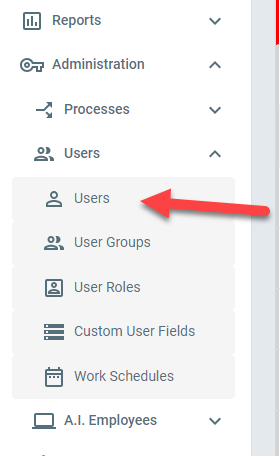
Within the left navigation menu and under the Administration section, open the Users menu item.
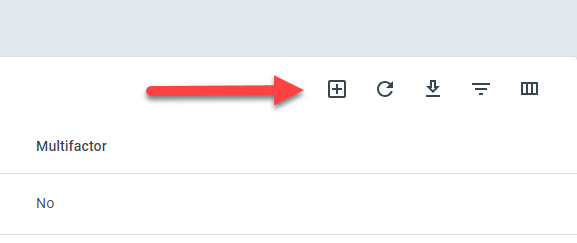
Then click the + button to add a new user to your account.
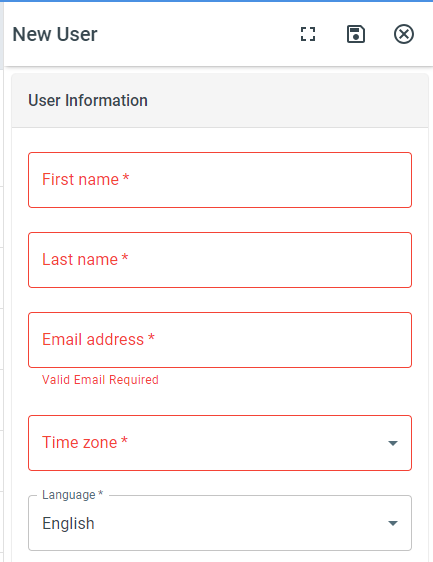
Fill in all the required fields to add the new user to your account. Note that every user must be assigned to at least one user group, because that is how users inherit their security access privileges. Users inherit and accumulate the security privileges of every User Group (and Security Group) of which they are a member.
New user accounts will receive an email invite to confirm their email address before becoming active in the system.
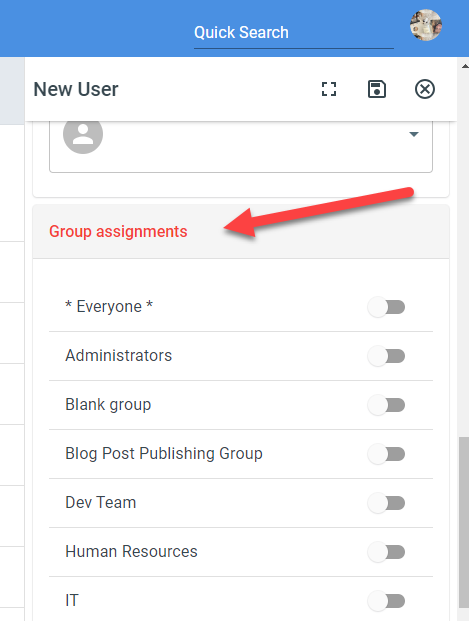
When finished, click the save button to send the new user invite email.
Remove users
Section titled “Remove users”To remove people from your account, select them in the Users list and delete them. Removing users requires two privileges: permission to edit user accounts, and permission to perform bulk edits (see User Groups (and Security Groups)). If a removed user has a backup set on their profile, the pending tasks assigned to them move to that backup.