
AI Employee Action Type
The AI Employee Action Type allows you to automate the launching of an AI Employee Job.
To automate AI Employee Tasks, do the following:
-
On the desired template, click the Automated Action icon in the template designer menu or right-click in any whitespace and select Automated Actions
-
Select Automate via AI Employee as your Action Type
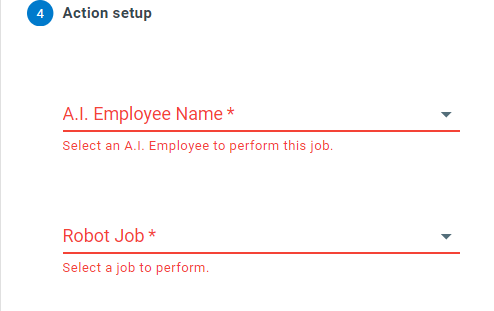
-
AI Employee Name: Select the AI Employee that will perform this job. Choose Use a Formula to calculate which AI Employee to use at run time instead of naming one
-
AI Employee Job: Select the job that will be launched with the automation. Any job values marked as overwritable appear as additional fields, so you can pass values from your process (using the Insert Field Token button) through to the AI Employee
-
Task to Mark Completed When Job is Finished: Optionally select a process task to complete when the job finishes. The AI Employee will decide which response to select
-
Task Response if Successful / Task Response if Unsuccessful: The default task responses to select when the job succeeds or fails. Jobs can override this selection
Unlike most action types, an AI Employee action is scheduled rather than completed immediately - the job runs on the AI Employee and reports back when it finishes.