The Side Bar
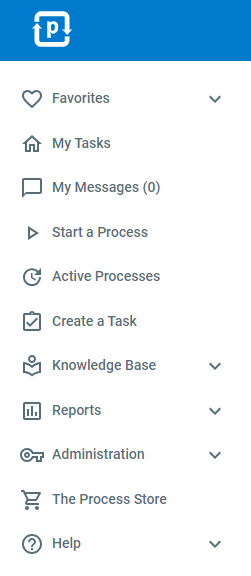
ProcessPlan has a side navigation bar for getting around within the application.
-
Favorites - The “Favorites” tab holds links to your favorite pages in ProcessPlan
-
My Tasks - The “My Tasks” tab takes users to their home task list.
-
My Messages - The “My Messages” tab takes you to your internal ProcessPlan messages
-
Start a Process - The “Start a Process” tab takes users to the Start a Process page where users can select the process they want to start.
-
Active Processes - The “Active Processes” tab takes users to the Active Processes report where users can see every process currently running in the account.
-
The AI Strategist - The “The AI Strategist” tab expands into AI Strategy Session, AI Daily Briefing, and Getting Started.
-
Reports - The “Reports” tab expands into Process Tables, Process Calendars, Heat Maps, AI Reports, and Dashboards, as well as task and process report lists - giving users the ability to easily access data gathered by ProcessPlan.
-
AI Tools - The “AI Tools” tab expands into the AI Assistant, AI Employee Viewer, AI Reports, and the AI Screen Recorder. The AI Reports section here matches the one under Reports, so you can find it in either place.
-
Knowledge Base - The “Knowledge Base” tab expands into All Documents, Documents By Type, and Under Review tabs which take you to the Knowledge Management sections
-
Administration - The “Administration” tab expands into sections for Processes, Users, AI Employees, AI Strategist, Account, Documents, and Integrations.
-
Help - The “Help” tab links to the Getting Started page, this help documentation, the product support request form, the system status page, and the link to schedule a support call.
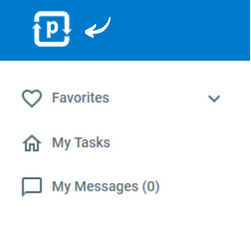
To collapse the side-navigation bar and expand your screen, do the following:
- Click the ProcessPlan logo in the top left-hand corner of the screen