
=LINESPLIT
The LINESPLIT function splits each line of text into a semicolon separated list (semicolons are what ProcessPlan uses as its list delimiter).
Syntax
Section titled “Syntax”=LINESPLIT(IndexOfSplitListToReturn; TextToSplit)Parameters
Section titled “Parameters”-
IndexOfSplitListToReturn:
-
0 returns the entire semicolon-separated list
-
Positive numbers return the specific line at that index
-
-
TextToSplit: The multiline text to split
How It Works
Section titled “How It Works”-
Splits text at line breaks into individual list items
-
Converts the lines into a semicolon-separated list (ProcessPlan’s list delimiter)
-
Returns the full list or a single line based on the index provided
-
Works with both field tokens and static multiline text
Usage Notes
Section titled “Usage Notes”-
Index numbering starts at 1 for the first line
-
Zero index returns the full semicolon-separated list
-
Formula functions are case sensitive and must be in ALL CAPS
Example
Section titled “Example”=LINESPLIT(1;[[Field: TextToSplit (Text)]])If TextToSplit contains:
brown dogblue fishResult:
brown dog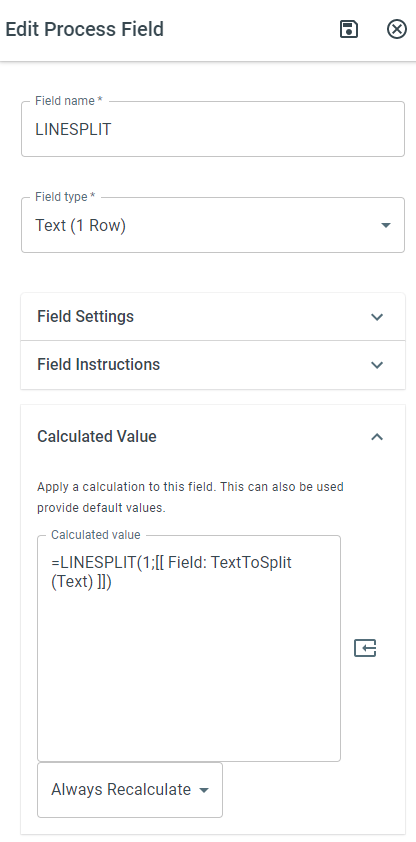
Keywords
Section titled “Keywords”LINESPLIT, multiline text, split lines, list conversion, semicolon list, text functions, formula function, calculated value