
=SPLIT
The SPLIT Function splits a string into sections and returns the specified section.
Syntax
Section titled “Syntax”=SPLIT(CharacterToSplitOn; IndexOfSplitToReturn; TextToSplit)-
CharacterToSplitOn: The character that the string will be split on
-
IndexOfSplitToReturn: The section of the split string you want to return
-
TextToSplit: The string you want to split
If you want to return all sections, enter 0 as IndexOfSplitToReturn
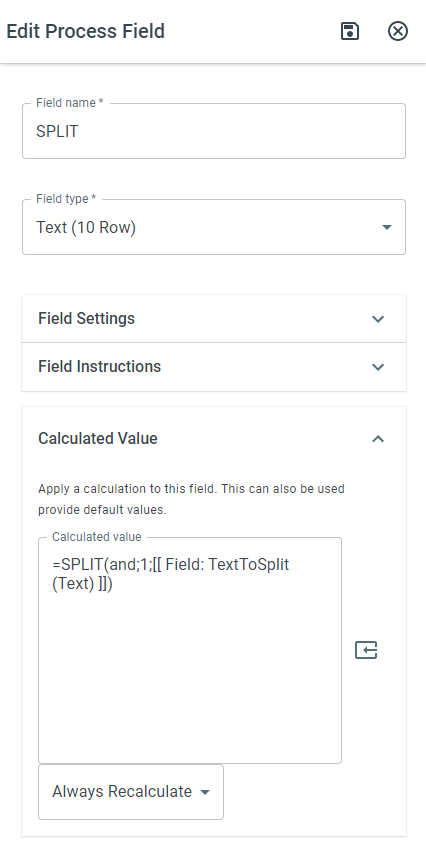
In the example above, if the TextToSplit was brown dog and blue fish, the function will return brown dog.