
=REPLACE
The REPLACE function finds specific text within a string and replaces it with new text.
Syntax
Section titled “Syntax”=REPLACE(SearchForText; NewText; SearchWithinText)Parameters
Section titled “Parameters”SearchForText – The text or value you want to find within the string.
NewText – The text that will replace the matched value.
SearchWithinText – The full text string or field token where the replacement will be performed.
How It Works
Section titled “How It Works”-
Searches the provided text string for the specified value.
-
Identifies all occurrences of the SearchForText value.
-
Replaces each match with the NewText value.
-
Returns the updated text string with replacements applied.
Usage Notes
Section titled “Usage Notes”-
Formula functions are case sensitive and must be written in ALL CAPS.
-
Useful for correcting, updating, or standardizing text values.
-
Can be used with field tokens via the Insert Field Token button.
-
Works across full strings, not just single characters.
-
Commonly used in data cleanup and transformation workflows.
Example
Section titled “Example”=REPLACE(Street; Avenue; 123 Street Avenue)Returns
Section titled “Returns”123 Avenue Avenue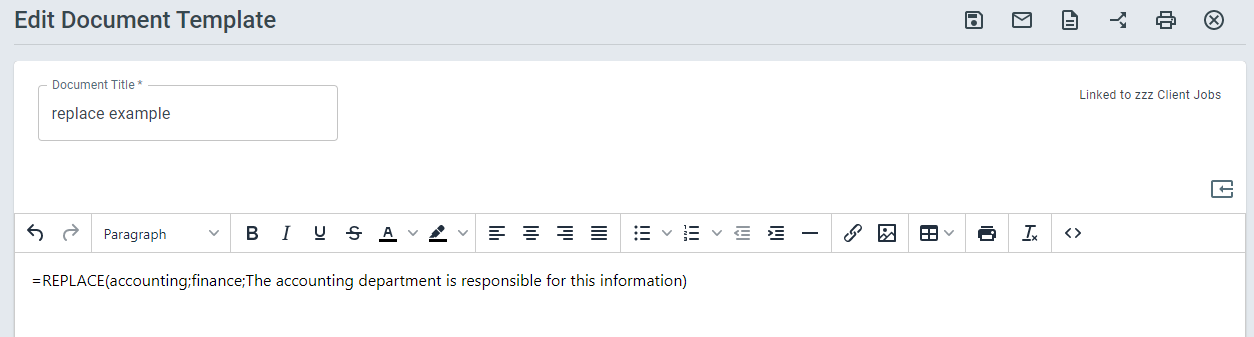
Keywords
Section titled “Keywords”REPLACE, find and replace, text substitution, string update, modify text, workflow formulas, data cleanup, formula function