
=LTNUM (Less Than Number)
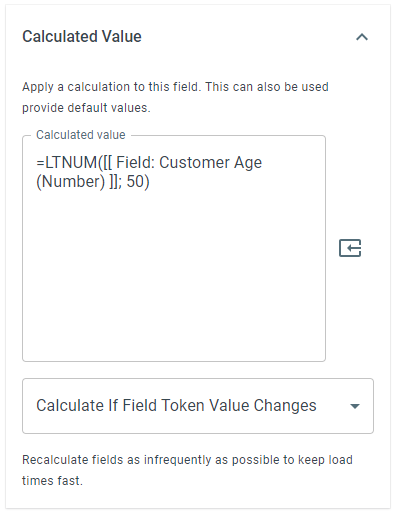
The LTNUM function allows you to compare two numeric values to determine whether the first value is less than the second value. This function returns 1 if “True”, 0 if “False”.
Syntax
Section titled “Syntax”=LTNUM(IsThisValue; LessThanThisValue)Parameters
Section titled “Parameters”-
IsThisValue – The numeric value you want to evaluate.
-
LessThanThisValue – The numeric value you want to compare against.
How It Works
Section titled “How It Works”-
Evaluates the first numeric value.
-
Compares it to the second numeric value.
-
Returns 1 (true) if the first value is less than the second value.
-
Returns 0 (false) if the first value is greater than or equal to the second value.
Usage Notes
Section titled “Usage Notes”-
Formula functions are case sensitive and must be written in ALL CAPS.
-
Both values must be numeric; text values will cause errors or incorrect results.
-
Field tokens containing numbers can be used instead of hard-coded values for dynamic comparisons.
-
Useful for validations, thresholds, limits, and decision-making logic in workflows.
Example
Section titled “Example”=LTNUM(50; 60)Returns: 1 “True”
=LTNUM(50; 49)Returns: 0 “False”
Keywords
Section titled “Keywords”LTNUM, less than number, numeric comparison, conditional logic, workflow formulas, Boolean function, formula function