Auto-Applying or Replacing Task Tags
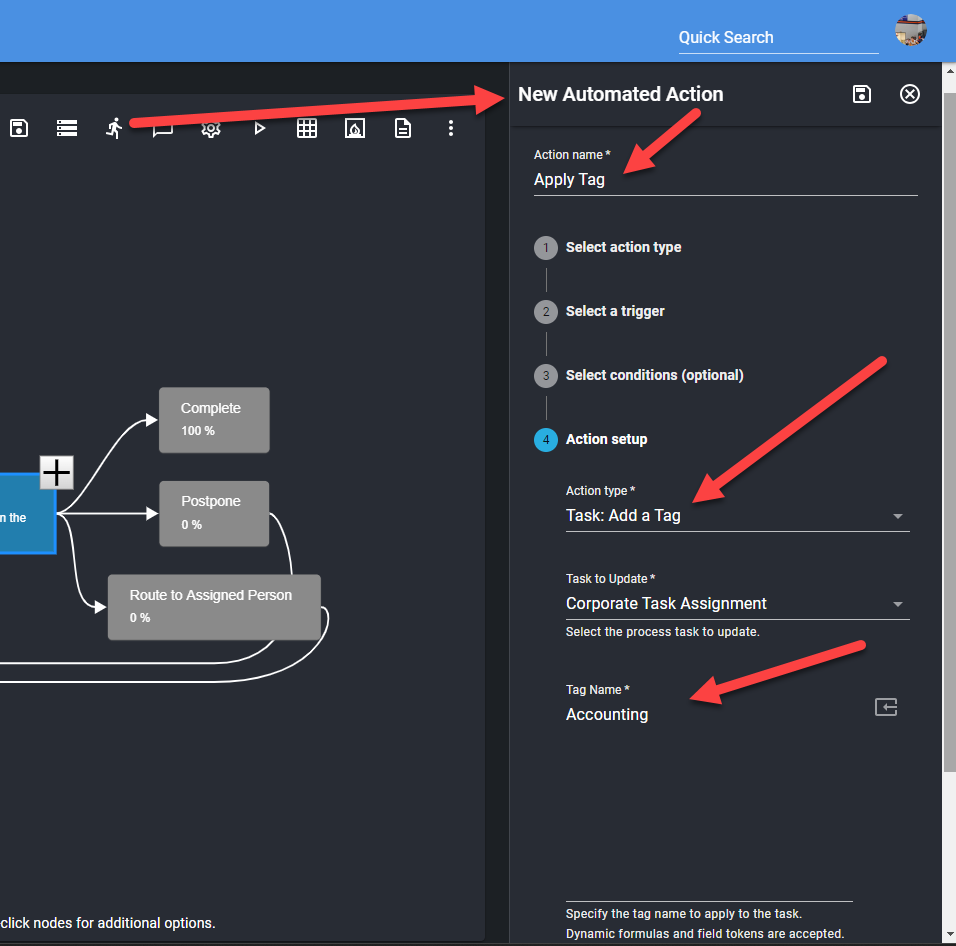
The Task: Add a Tag and Task: Replace Tags Automated Actions allow process designers to automatically add or replace the tags that are applied to tasks. The new tags can be applied by name or by using a formula that calculates the appropriate tag name based on dynamic criteria.
These actions are usually triggered when a task is assigned.
Multiple tags can also be applied at once by separating the tag names with a semicolon (;). See screenshot below.