Installing and Configuring AI Employees
An AI Employee is ProcessPlan’s robotic task automation tool. Using AI Employees, you can automate almost anything a human can do.
Installing the AI Employee
Section titled “Installing the AI Employee”-
Log in to your account
-
Click Administration > AI Employees > AI Employees
-
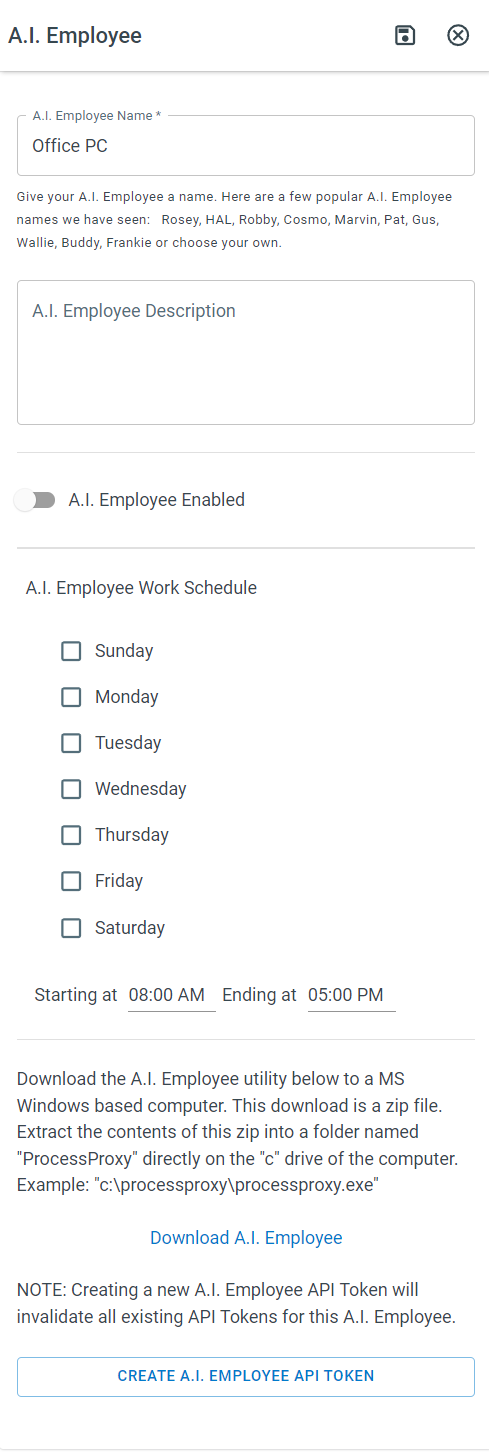
Give your Employee a name (It may be helpful to include the name of the PC running the AI Employee)
-
Click Save
-
Download the AI Employee zip file by clicking Download AI Employee
-
Navigate to the C drive on your computer and create a folder called processproxy
-
Place the downloaded AI Employee file into the processproxy folder
Configuring Your AI Employee
Section titled “Configuring Your AI Employee”-
Log in to your account
-
Click Administration > AI Employees > AI Employees
-
Click the Employee you’re working with > Create AI Employee API Token > Click the Token to copy it to your clipboard
-
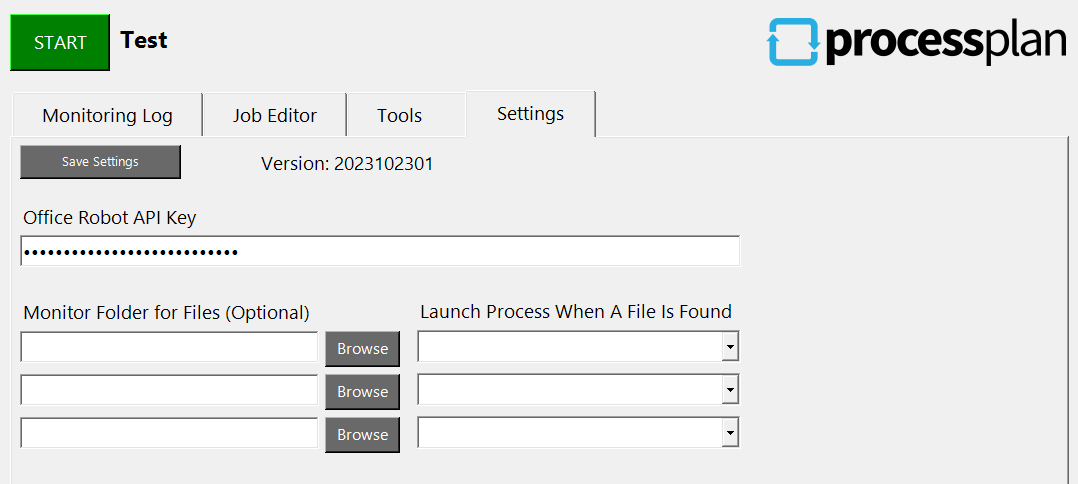
Open the processproxy application on your computer > Click Settings > Paste your AI Employee API Key into the AI Employee API Key field.
-
Click Save Settings
The saved API key is stored encrypted and is tied to the computer it was entered on. If you move or copy the AI Employee to a different computer, paste the API key in again on that computer.
Creating or deleting an AI Employee API Token requires the Edit Process Templates permission, the same permission that lets you add and change AI Employees (see User Groups (and Security Groups)). Deleting the token disconnects the AI Employee until a new token is pasted into its settings. Your own personal API token, on your user profile, needs no special permission.