
Restarting a Task
To restart a task that was previously completed, do the following steps:
-
Navigate to the diagram of the process instance you want to restart the task in.
-
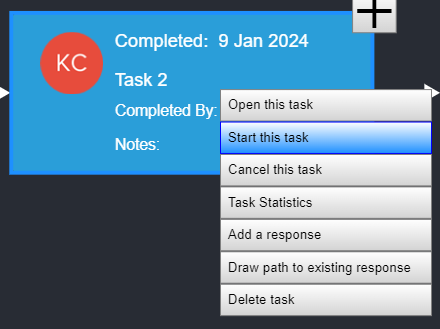
Right-click on the task you want to restart, and select Start this task.
- Once the task has been restarted, the box should turn yellow, and the response(s) should be available.
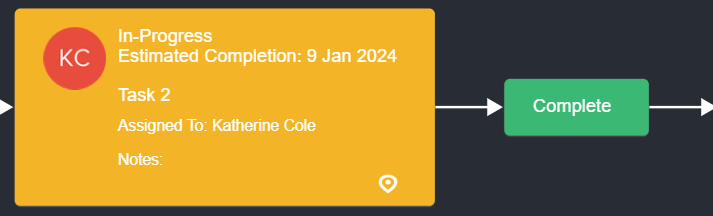
- Select the appropriate response to complete the task.
Note: You should see the fields and responses for the restarted task on the right side of the screen. You can make updates to the information in the fields from here. If you do not see the fields and responses, click the active (yellow) task.