Managing AI Employee Jobs
AI Employee jobs are created in order for the Employee to complete work.
Creating a New Job
Section titled “Creating a New Job”To create a new job, do the following:
-
Log in to your account
-
Click Administration > AI Employees > AI Employee Jobs
-
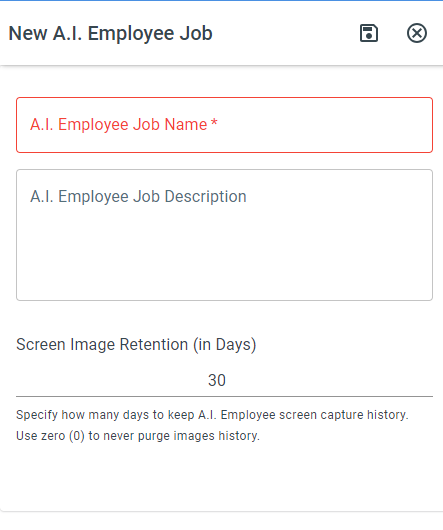
Click the New AI Employee Job button
-
Enter a name for the job and click Save
-
Click View / Edit Job to add the job actions
Editing a Job
Section titled “Editing a Job”To edit an existing job, do the following:
-
Log in to your account
-
Click Administration > AI Employees > AI Employee Jobs
-
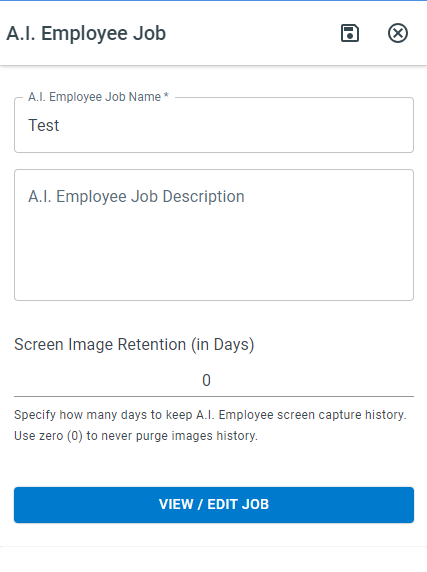
Click on the job you would like to edit
-
Click View / Edit Job
Screenshot Steps Added Automatically
Section titled “Screenshot Steps Added Automatically”When a step brings one of your AI Employees to a stop, ProcessPlan adds a screenshot step immediately in front of it. You will see it in the job named Screen before: followed by the name of the step it sits in front of.
From then on every run of that job photographs that screen — including the runs that go perfectly. That is the point: if the screen later changes and the step stops working, there is a picture of how it looked back when it was working, so the difference can be seen rather than guessed at.
This includes a Robot - Shut Down step. That step is one way a job is built to stop the AI Employee when something has gone wrong, so it gets a screenshot in front of it too. One thing to keep in mind when you look at that picture: with a Robot - Shut Down step, the trouble has usually already happened in an earlier job, so the screen you are looking at is what things looked like afterwards rather than what caused it. The run’s own details will point you to the run to look at instead.
A few things worth knowing:
- These steps only take a picture. They do not click anything, they cannot change what the job does, and if a screenshot ever fails to save, the job simply carries on.
- Only one is ever added in front of a given step, however many times that step stops the AI Employee, and only a small number are added to any one job.
- If there is already a screenshot step directly in front, none is added.
- You can delete one like any other step if you no longer want it, and you can add your own screenshot steps anywhere in a job at any time.
Copying a Job
Section titled “Copying a Job”To create a copy of a job, do the following:
-
Log in to your account
-
Click Administration > AI Employees > AI Employee Jobs
-
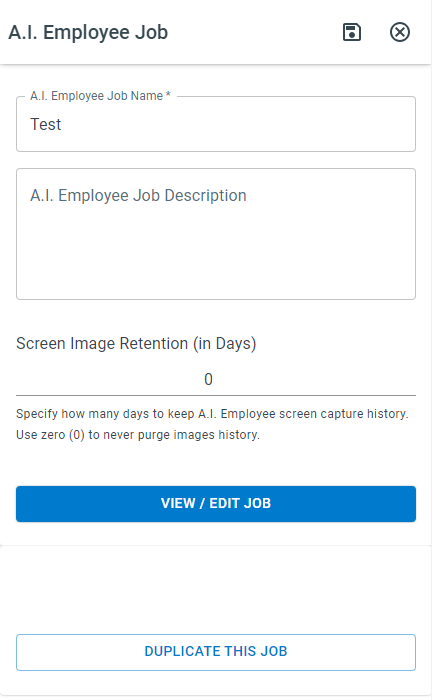
Click on the job you would like to duplicate
-
Click Duplicate This Job
Deleting a Job
Section titled “Deleting a Job”To delete a job, do the following:
-
Log in to your account
-
Click Administration > AI Employees > AI Employee Jobs
-
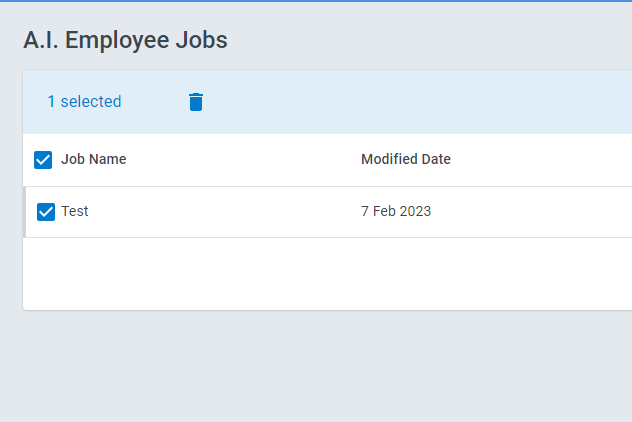
Click the checkbox next to the job you want to delete
-
Click the Trash Button at the top of the page.