
=ISEMPTY
The =ISEMPTY() function checks whether a process field contains no value. It returns 1 (true) if the specified field is empty, and 0 (false) if the field contains any value.
Syntax
Section titled “Syntax”=ISEMPTY(IsTheValueEmpty)Parameters
Section titled “Parameters”-
IsTheValueEmpty
- The field token or value to evaluate for emptiness.
How It Works
Section titled “How It Works”-
The function evaluates the value inside the parentheses.
-
If the field has no value, the function returns 1.
-
If the field contains any value, the function returns 0.
Usage Notes
Section titled “Usage Notes”-
Commonly used with IF statements to handle missing or optional data.
-
Works with text, number, date, and other field types.
-
Formula function names are case sensitive and must be written in ALL CAPS.
Example
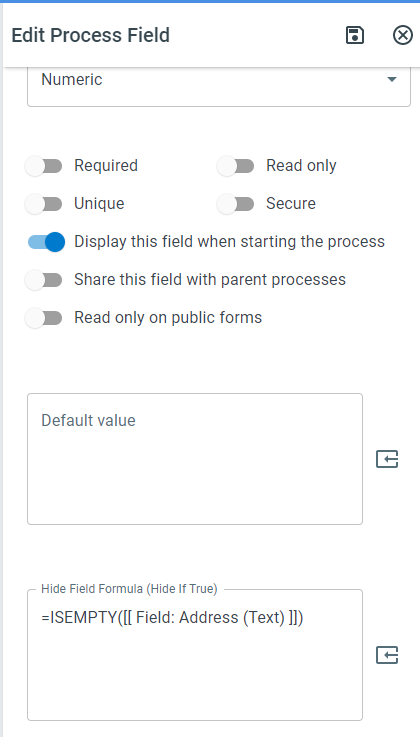
Section titled “Example”=ISEMPTY([[Field: Address (Text)]])-
Returns 1 (true) if the Address field is empty.
-
Returns 0 (false) if the Address field contains data.
Keywords
Section titled “Keywords”ISEMPTY, empty field check, null value detection, workflow validation, conditional logic, process field check, formula function