Creating a Document Template (Merge Document)
Merge Documents provide the ability to generate documents/PDF files that contain information from process fields. Merge Documents can be General and apply to any process in your account or they can be process specific.
To create a general merge document, do the following:
-
Click Administration > Documents > Document Templates
-
Click the New Document Template icon (top right menu), then select Create Shared Document Template
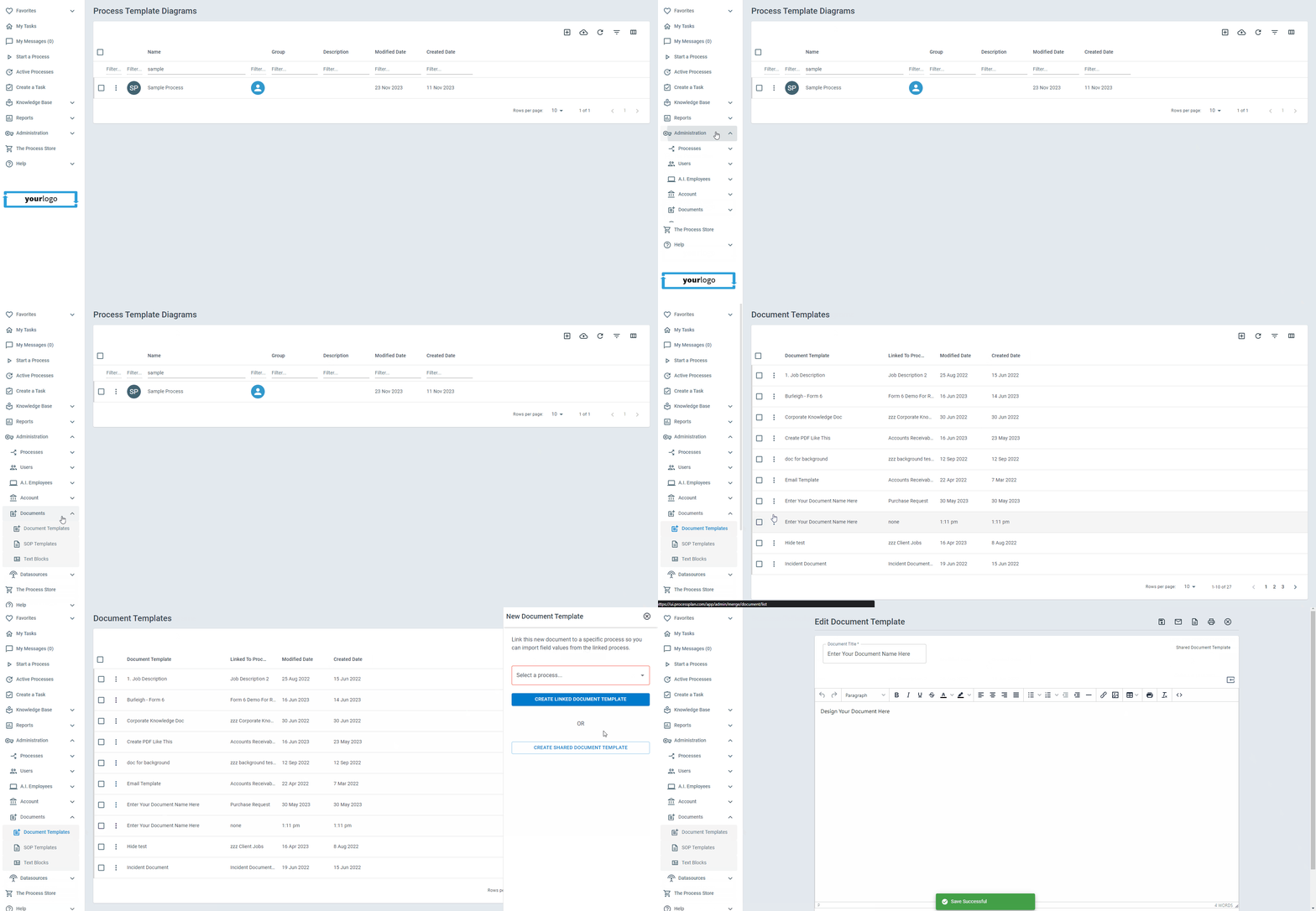
After naming your Document, you can:
-
Edit your document to display text and information relevant to the selected process
-
Insert Field tokens into the document by clicking the Insert Field Token button
-
Get a preview of the document by clicking the View Document icon (top right menu)
-
Enabling “Read-Only After Merge” will prevent viewers from editing a merged document
-
Save your work by clicking the save icon

-
Save: Save your document template
-
Toggle Email Fields: Allows you to select an email to send the created document to
-
View Document: Allows you to preview your document
-
Go to Process: Redirects you to the selected process diagram page
-
Print: Allows you to print your document
-
Close: Closes the document template page
Collect a Signature
Section titled “Collect a Signature”To have someone sign a Merge Document, insert a Digital eSignature field’s (Signature) token where the signature belongs. When the person opens the document’s link, they type their name in that block to sign. Once they submit, the block shows their signature and its SIG code.
A signature made on a document appears only on the document it was signed on. If another Merge Document in the same process has a signature block for the same field, that block stays empty, so no document ever shows a signature its signer didn’t give on it. Give each document that needs a signature its own Digital eSignature field.
People can also sign on a public form that shows a Digital eSignature field. A signature made on a public form appears on every Merge Document of that process that has a signature block for the field.
On a task, a Digital eSignature field shows the signature but can’t be signed.
Control Where Pages Break
Section titled “Control Where Pages Break”You decide where one printed page ends and the next begins:
-
Click in your document at the point where you want a new page to start
-
Click the Page break button in the editor toolbar
A dashed line marks the break while you edit. The line itself never prints, and everything after it starts at the top of a fresh page: when you print the document, when someone saves it as a PDF, and when an AI Employee generates the PDF for you.
Breaks are saved with the template, so every document created from it breaks in the same places.
Linking an Instance to a Merge Document
Section titled “Linking an Instance to a Merge Document”Linking a process instance to a merge document allows information from that linked instance to be used in your merge document.
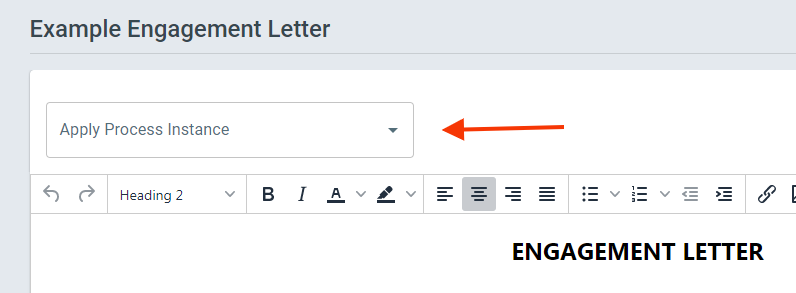
After saving and selecting your new merge document, you will see the option to Apply Process Instance. You can now select any previous process instance available to apply the merge document to.
Creating a Process Specific Merge Document
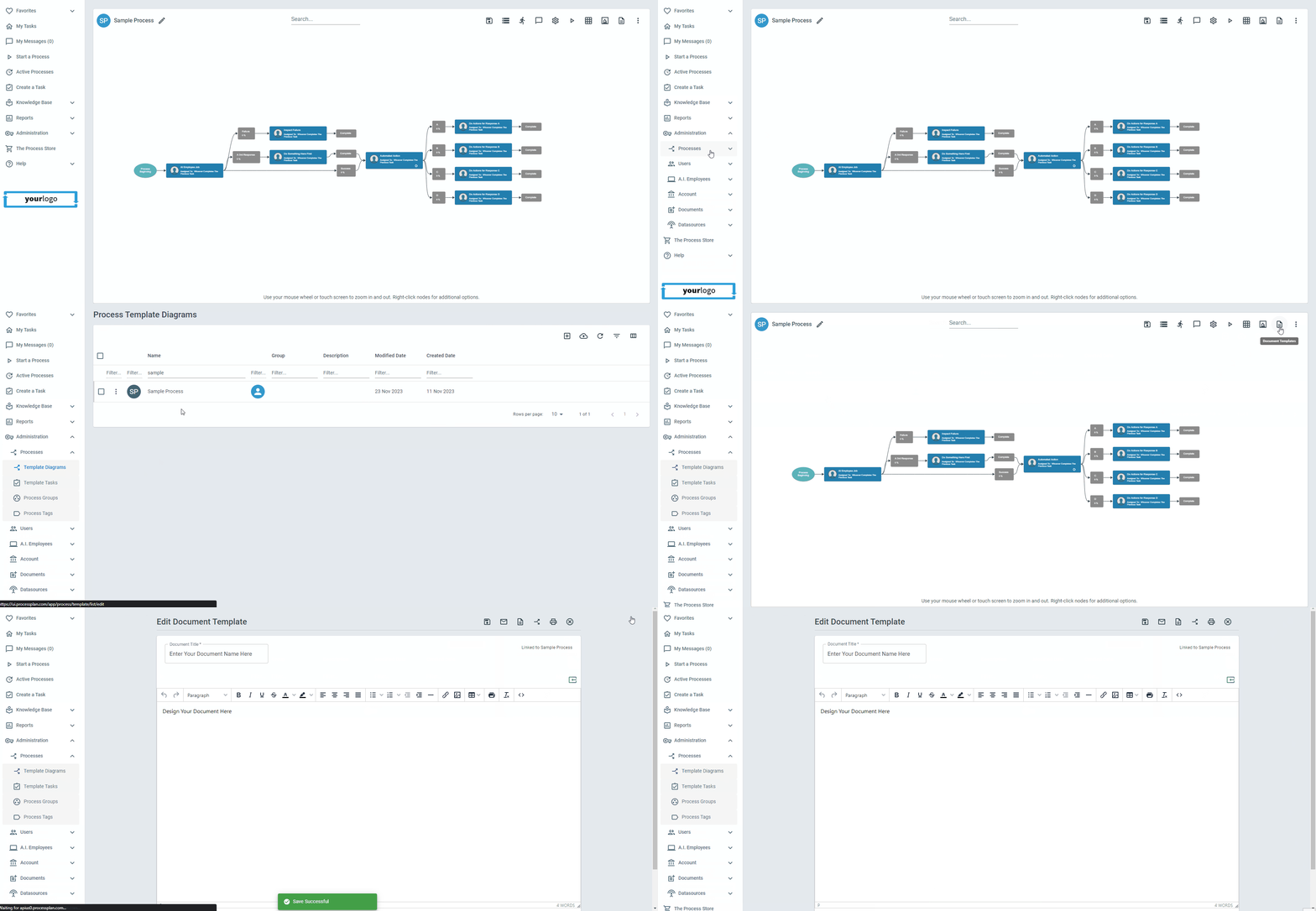
Section titled “Creating a Process Specific Merge Document”Creating a Merge Document inside a specific process will automatically create a document for each instance in that specific process. To do this:
-
Click Administration > Processes > Template Diagrams > Select the Desired Process
-
Click the Document Templates icon (top right menu) > Create New
-
Now you can create a process specific document template for the current process. Same steps apply as before
Using the Merge Document Link Process Field
Section titled “Using the Merge Document Link Process Field”The Merge Document Link process field allows you to automatically generate a Merge Document for each instance of your process. The Merge Document that is generated will use field values from the instance that it belongs to.
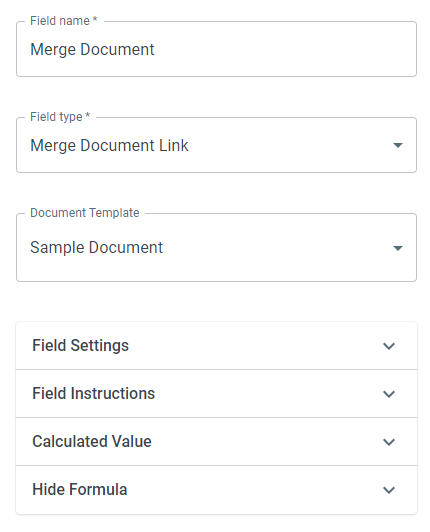
- Create a new field > Name it > Select Field Type: Merge Document Link > Select your created Merge Document