
=LEFTOFLAST
The =LEFTOFLAST() function returns all text that appears to the left of the last occurrence of a specified character or word within a text string.
Syntax
Section titled “Syntax”=LEFTOFLAST(ReturnLeftOf; SearchInString)Parameters
Section titled “Parameters”-
ReturnLeftOf
The character or text to locate. All characters to the left of the last occurrence of this value will be returned. -
SearchInString
The text string (or field value) to search within.
How It Works
Section titled “How It Works”-
Scans the text string from left to right
-
Finds the last occurrence of the ReturnLeftOf value
-
Returns all characters to the left of that occurrence
-
If the ReturnLeftOf value is not found, the function returns an empty value
-
Works with multiple occurrences; only the final one determines the split
Usage Notes
Section titled “Usage Notes”-
Spaces and special characters are included in the result
-
Works with text fields or text-converted numbers
-
Formula functions are case sensitive and must be written in ALL CAPS
Example
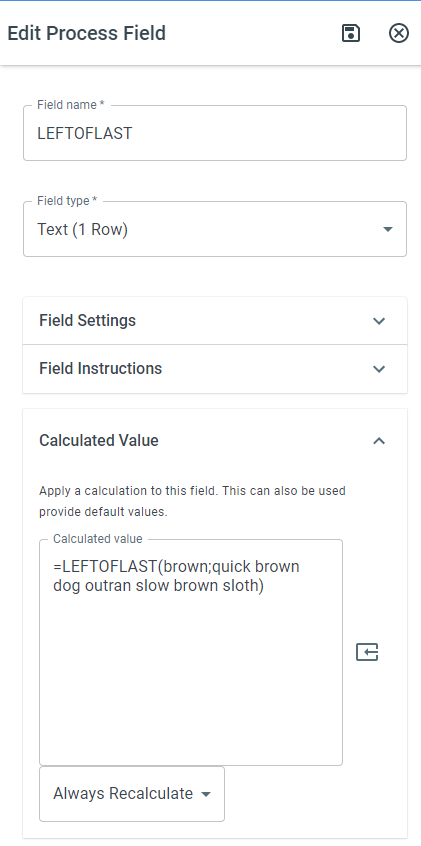
Section titled “Example”=LEFTOFLAST(brown; quick brown dog outran slow brown sloth)Result:
quick brown dog outran slow(All text to the left of the last occurrence of “brown”)
Keywords
Section titled “Keywords”LEFTOFLAST, text extraction, substring, string functions, last occurrence, text manipulation, calculated value, formula function