API Authentication
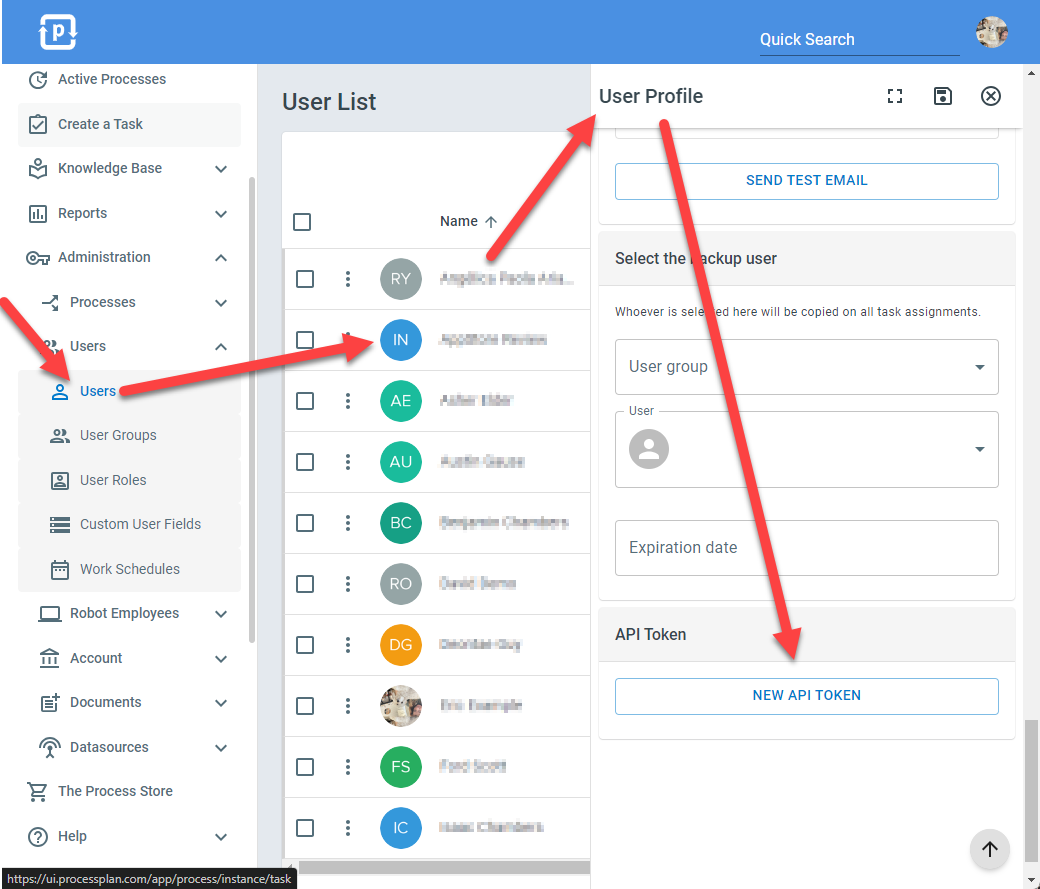
To authenticate with our RESTful API, navigate to your user profile (or create a user profile specifically for API integrations). Then, create a new API token. See screenshot below.
Include this API token in either an http header named “tkn_id” or as a query string parameter named “tkn_id”. Then, “GET” or “POST” to one of our API endpoints.
You can use the following endpoint as a test.
GET https://apius0.processplan.com/api/v4/user/me
Another helpful way to learn our API is to log in to the ProcessPlan user interface and open Google Chrome Inspector’s network tab and watch the API calls that our User Interface uses as you navigate around the application.