
=GTEDATE (Greater Than or Equal To Date)
The GTEDATE function compares two dates and returns whether the first date is greater than or equal to the second date. Useful for date validation, conditional actions, and workflow logic.
Syntax
Section titled “Syntax”=GTEDATE(Date1; Date2)Parameters
Section titled “Parameters”-
Date1 – The date you want to evaluate (can be a process field or static date).
-
Date2 – The date to compare against.
How It Works
Section titled “How It Works”-
Returns 1 (true) if Date1 is the same as or later than Date2.
-
Returns 0 (false) if Date1 is earlier than Date2.
-
Can be used to trigger workflow actions based on date comparisons.
Usage Notes
Section titled “Usage Notes”-
Dates must be valid and in a recognized format (e.g., YYYY-MM-DD).
-
Formula functions are case sensitive and must be written in ALL CAPS.
Example
Section titled “Example”=GTEDATE([[Field: Date (Date)]]; 2023-11-01)-
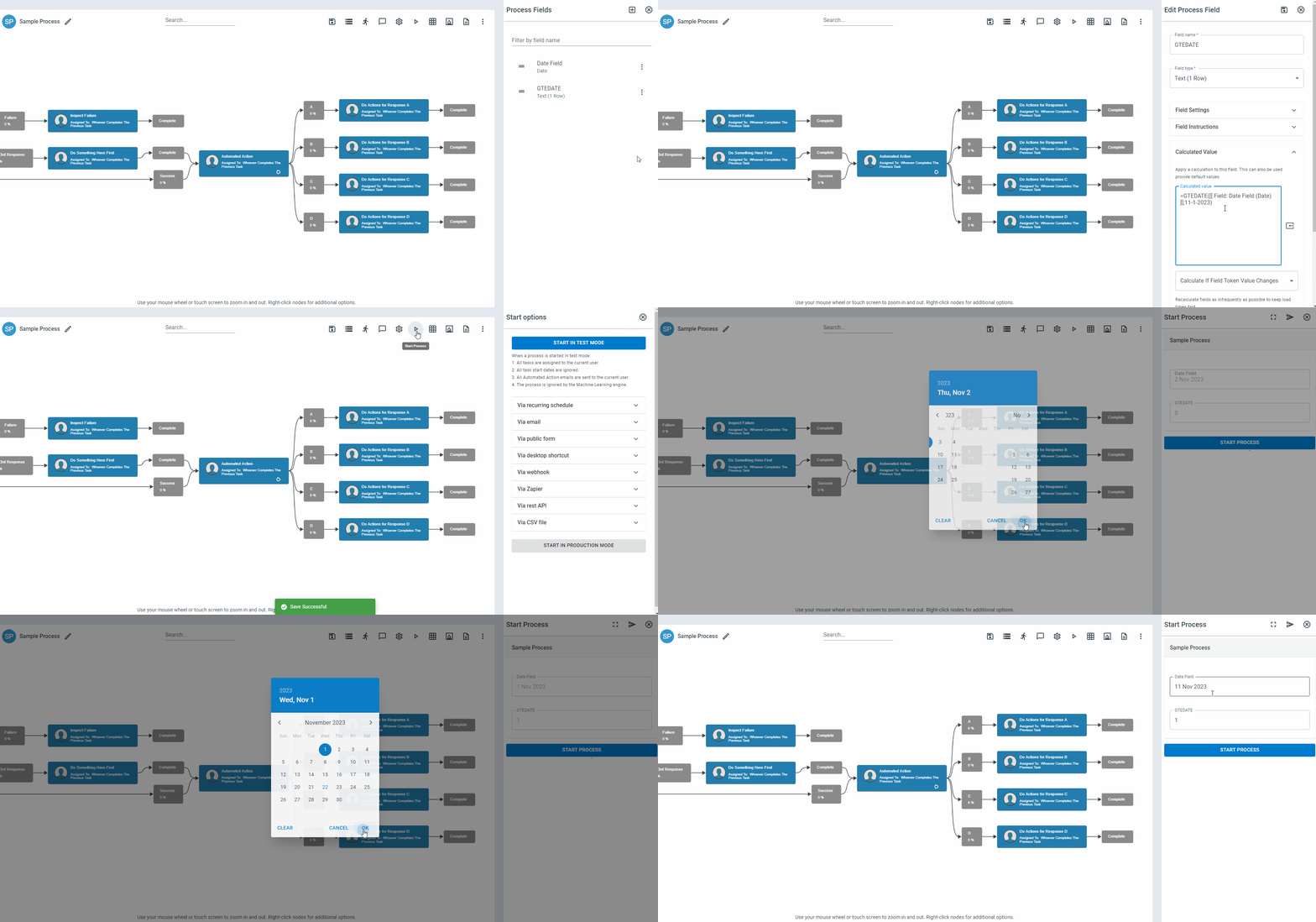
Returns 1 if the process field date is on or after November 1, 2023.
-
Returns 0 if it is before November 1, 2023.
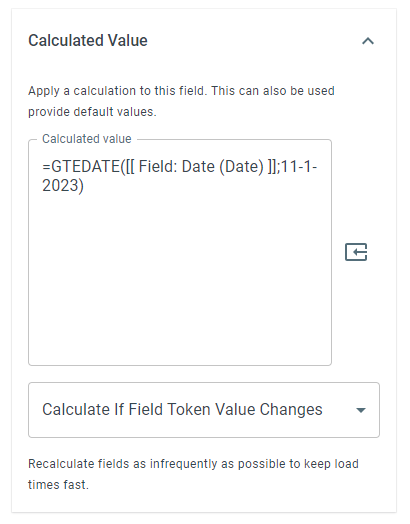
The GTEDATE function can be used to compare a date in your process and take action on it if it is before or after the date you have entered.
Example: Click To Enlarge
Keywords
Section titled “Keywords”GTEDATE, greater than or equal date, date comparison, conditional logic, workflow formulas, Boolean function, process field date, formula function